
Although YouTube offers downloads on its mobile app, it's limited in its sharing capabilities and doesn't support direct downloads to computers. Therefore, finding ways to download high-quality, safe, and fast YouTube videos is always a priority for users. In this article, we'll reveal the simplest methods to get all your favorite videos in a snap.
Why should you know how to upload YouTube videos professionally?
Nowadays, many jobs require you to have the skill to upload videos from platforms, including YouTube. Knowing how to upload videos will bring you many interesting benefits, such as:
- Optimizing learning and work: You can download tutorial videos and longer lectures to watch again in places without internet access or while traveling on trains, buses, or planes. Watching offline helps you concentrate fully without being distracted by other suggested videos.
- Save on mobile data costs: For music videos or podcasts that you listen to repeatedly, downloading them via Wi-Fi and listening offline will save you a significant amount of your monthly 4G/5G data allowance.
- Build a personal archive: Many valuable videos or live streams can be deleted or set to private at any time. Downloading them is the only way to ensure you don't lose that content.
- Experience the ultimate quality: When browsing online, browsers often automatically reduce the resolution to ensure faster loading speeds. Once downloaded to your computer, you can force the highest quality setting (4K, 8K) to enjoy it on larger screens.
How to download YouTube videos directly
This is the safest and most stable method, directly supported by Google through a paid service or a default mobile feature. Please refer to the following information:
1. Offline download feature on the YouTube app
This feature allows you to save videos to the app's clipboard for up to 30 days.
- Making: Open the YouTube app on your smartphone -> Select a video -> Press the button Download.
- Advantage: Fast, no need for intermediary websites.
- Disadvantages: The video can only be viewed within the YouTube app; it cannot be copied outside or sent to others.
2. YouTube Premium – The perfect solution for computers and mobile devices.
If you have a Premium account, the YouTube video download feature will appear even on your computer's web browser.
- Making: Press the “Download” button next to the “Share” button. You can choose a quality up to Full HD 1080p.
- Benefit: Completely legal, ad-free, and supports downloading high-quality YouTube Music.

Enjoy even more privileges with YouTube Premium.
How to download YouTube videos using a URL modification trick.
These are the quickest methods for those who don't want to install anything on their computer. You just need to perform the actions directly in your browser's address bar:
1. Add the character “ss”
This is the most popular tip in the world:
- Open the video you want to download.
- In the address bar, add the letter ss before the word YouTubeFor example: https://www.ssyoutube.com/watch?v=…
- Press EnterYou will be redirected to the download page. Select the MP4 format and press Enter. Download.
2. Add the characters “pp”
Similar to the tip above, but using Y2Mate's servers:
- Change the URL to: youtubepp.com/watch?v=…
- This method is very powerful in that it allows you to choose from many different resolution levels, ranging from 144p to 1080p.
3. Replace “youtube” with “yout”
By deleting the last 3 letters of the word. YouTubeYou will then be directed to the page. yourt.com. This method is extremely useful if you want to download the MP3 format (audio only) or cut a short segment of a video to use as a ringtone without downloading the entire long file.
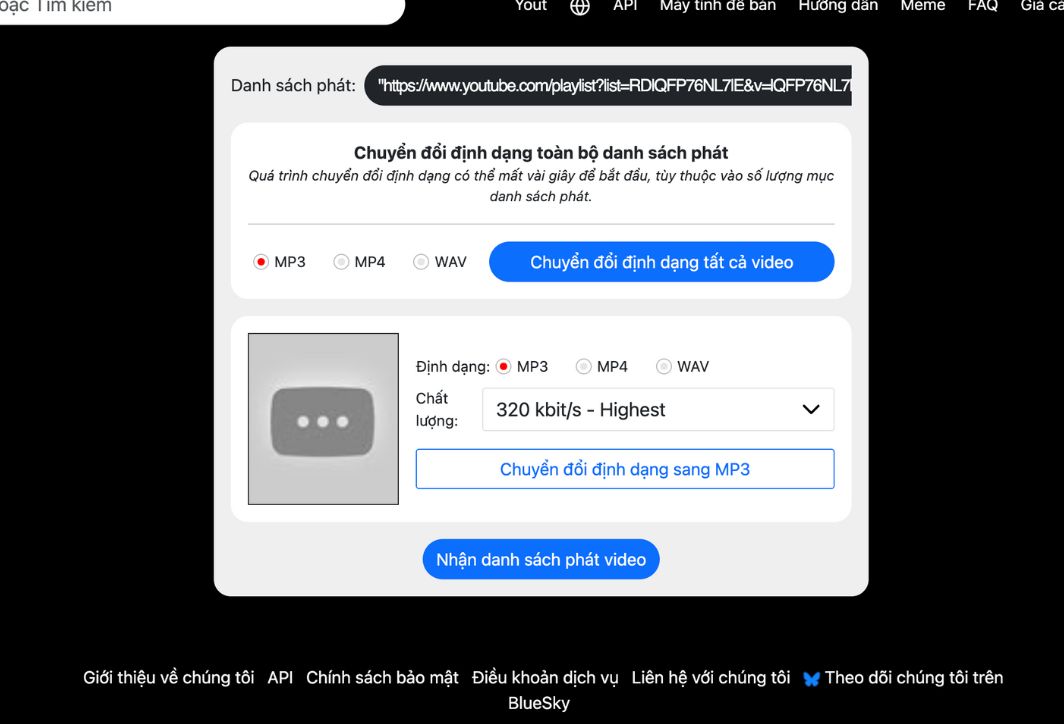
Remove the last three letters of youtube to make it yout.com to download the video you want as an MP3.
How to download YouTube videos on your phone
Downloading videos to your smartphone is a bit more complicated due to the operating system's security policies, but you can still follow these steps:
On your phone, you can use a web browser like Safari (iOS) or Chrome (Android) to do the same as on a computer.
- Copy the video link: Open the YouTube app, tap Share -> Copy link.
- Using a browser: Access the website y2mate.com or snappea.com.
- Paste the link and download: Paste the copied link, select the video quality, and click download.
- For iPhone: After you click download, the video will be located in the folder. PaperYou need to go to Files, select the video, and press Enter. Save video so that it appears in the application Photos.
Top 5 software programs for downloading high-quality YouTube videos.
If you need to download a large number of videos or long movies in ultra-high quality, specialized software will be your best friend. Check out these options:
- 4K Video Downloader: This software excels at downloading entire playlists or channels in pristine 4K and 8K quality with exceptional stability.
- Internet Download Manager (IDM): The legendary tool on Windows. Just install IDM, a bar. Download this video It will automatically appear on every YouTube video you watch.
- VLC Media Player: Few people know that this music player has this feature. Open Network Stream It allows you to paste the YouTube link and save the video to your computer.
- WinX YouTube Downloader: Simple interface, supports high-speed video downloads, and completely free.
- ClipGrab: A great option for Windows, Mac, and Linux, with the ability to easily convert videos to various formats.
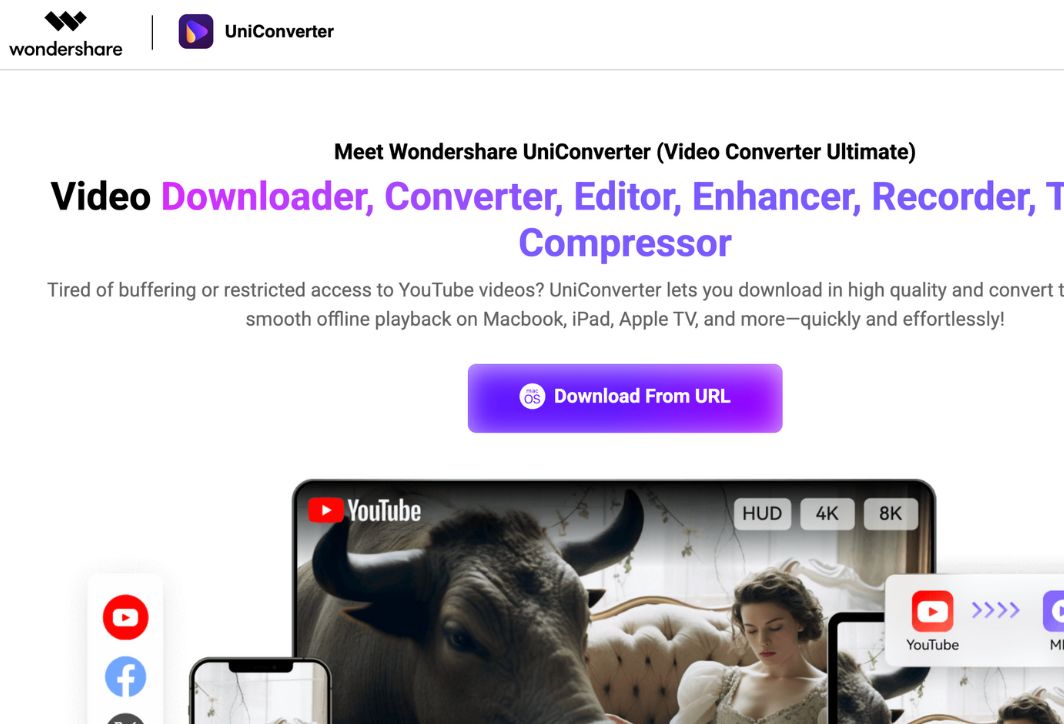
Use software to download YouTube videos.
Technical specifications you need to know when downloading videos.
For the best experience, you need to understand the formats when downloading YouTube videos:
- MP4: The most common format, compatible with all devices (phones, TVs, computers).
- WebM: Google's format, while generally offering higher quality than MP4 for the same file size, can sometimes be incompatible with players on older phones.
- MKV: This feature typically appears when you download 4K or 8K videos, and supports saving multiple audio tracks and subtitles in a single file.
- Bitrate: If you see two files that are both 1080p but have different file sizes, choose the larger one because it has a higher bitrate, resulting in less pixelation during fast motion.
Copyright considerations when downloading YouTube videos.
When downloading YouTube videos, you need to pay special attention to ethical and legal issues:
- Respect copyright: Only upload videos for personal viewing. Absolutely do not re-upload them to other platforms for monetization without the owner's permission.
- YouTube's policy: YouTube prohibits downloading videos using third-party tools in its terms of service. Therefore, video download websites frequently change their domain names. You should update to the latest websites to use.
- Beware of malware: Some websites that illegally download videos often display numerous pop-up ads containing malware. Use browsers with ad-blocking features and absolutely do not click on any suspicious notifications. "Your computer is infected with a virus.".
Common errors and how to fix them
Sometimes you might encounter problems loading YouTube videos; please check the following causes:
- The video is age-restricted or private: You cannot upload videos that are private or country-restricted.
- Unstable internet connection: 4K videos are very large, and if your Wi-Fi is weak, the download process will fail midway.
- The tool is blocked: If the website ssyoutube good y2mate Unable to access, try switching to another option. snappea Or use the software that installs directly.
- The downloaded video has no sound: Many online tools separate the video and audio streams when the resolution is above 1080p. Use software like... 4K Video Downloader To automatically merge these two streams.
- The website showing the video download error "Video unavailable": This is often because the video has age restrictions or music copyright issues. Try switching to a different website or using software installed on your computer to bypass these restrictions.
- There are too many ads popping up: When using free websites, absolutely do not click "Allow" when the browser asks for permission. Use a browser that supports all notifications. Brave or install the extension Adblock To protect the computer.
Downloading YouTube videos to your computer is now incredibly simple thanks to powerful online tools and software. Depending on whether you need them for personal viewing or as reference material, you can choose the most suitable method. Always remember to use downloaded videos responsibly and respect the creative work of the content creators!





 English
  Vietnamese