
How to download Instagram videos? Instagram is one of the world's largest image and video sharing social networks, home to millions of creative content pieces from Reels and Stories to fun short videos. However, a major limitation of this platform is that it doesn't support saving videos directly to your device's memory for offline viewing. In this article, we will guide you through the simplest methods to download all types of Instagram videos to your phone and computer without installing complicated software.
Why doesn't Instagram allow uploading videos directly?
Before learning how to download Instagram videos, we need to understand the platform's rules. The main reason for not allowing direct downloads is to:
- Copyright protection: Instagram wants to protect the intellectual property rights of content creators and prevent the unauthorized reuse of videos.
- Increase engagement: Requiring users to watch online helps Instagram maintain better watch time metrics and display ads more effectively.
- Ensuring safety: Limit the spread of malware through files downloaded from unknown sources.
However, for the purpose of preserving personal memories or for educational purposes, knowing how to download videos is an extremely useful skill.
How to download Instagram videos on your phone
Most users access Instagram via the mobile app, so this is the most searched-for method. You can use online tools through your web browser without installing a third-party app:
Step 1: Copy the video link.
- Open the Instagram app and find the video, Reels, or Story you want to upload.
- Click on the icon Three dots (top right corner) or icon Share (Picture of a paper airplane).
- Select item Copy link (Copy Link)
Step 2: Access the online download tool.
- Open your browser (Safari on iPhone or Chrome on Android).
- Access reputable websites that support downloading Instagram videos, such as: SnapInsta.guru, SaveInsta.li, or iGram.io.
- Paste the copied link into the search box on the website.
Step 3: Download the video to your computer.
- Press the button Download (Download). The system will process and display the quality options.
- Choose the highest resolution (usually HD or 1080p).
- On iPhone, the video will be in Safari's Downloads section; you need to tap the share button and select it. Save video To make it appear in the Photos app. With Android, the video will automatically save to the Gallery.
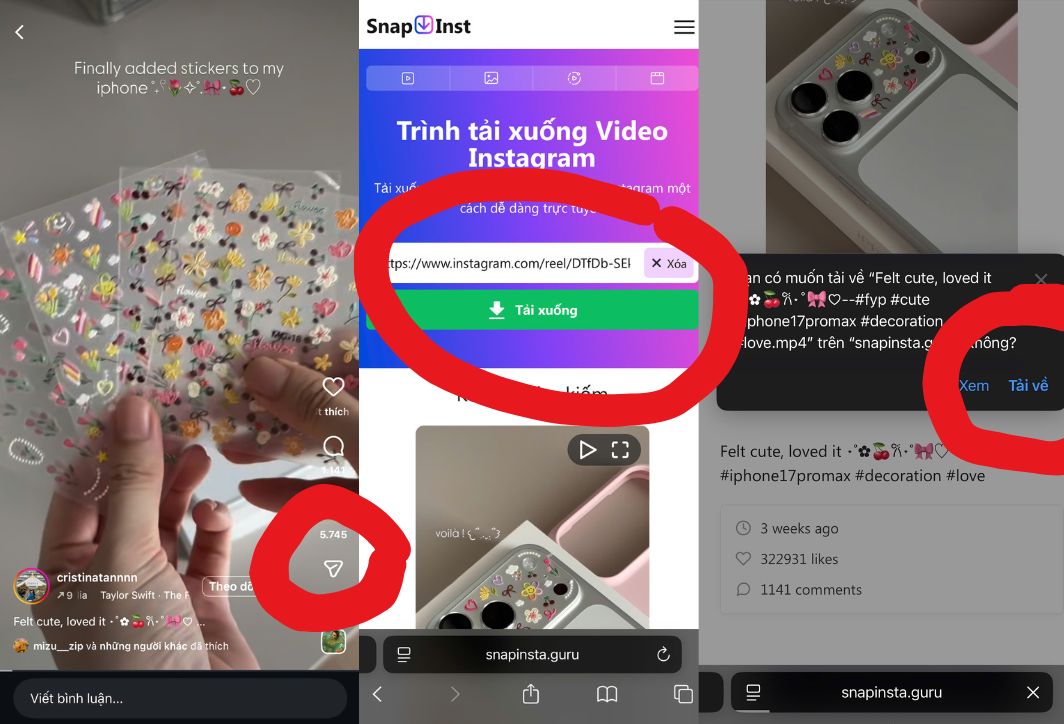
Simple steps to download Instagram videos on your smartphone.
How to download Instagram videos to your computer
Downloading Instagram videos on a computer is even simpler thanks to the large screen and fast browser capabilities.
- Using an intermediary website: Similarly to on your phone, you access websites such as SnapInsta On your computer's browser, paste the link and click download. The video will be saved to a folder. Downloads of the computer.
- Using Extensions: You can install extensions like "Video Downloader for Instagram" from the Chrome Web Store. Once installed, each Instagram video will have a small "Download" button in the corner of the image, allowing you to click and download it immediately.
- Use source code (F12): This method is for those who are technically savvy. Press F12, select the tab. Network, select Instagram Then reload the page. When the video plays, an .mp4 link will appear; simply open that link in a new tab and save it.
Instructions on how to download Instagram Reels and Stories separately.
Reels and Stories have a slightly different technical structure compared to traditional videos on the Feed. Here are some tips to help you download videos from Reels and Stories:
- For Reels: Because reels are often long and contain copyrighted audio, specialized tools such as SnapInsta This will help you filter and download videos with full sound without errors.
- For Story: Stories only last for 24 hours. To Download Instagram videos From Story, you have to do it before it disappears. Some tools like StorySaver.net allows you to input Username To view and download all of that person's active Stories without logging in.
Top 5 best websites to download Instagram videos
Below is a list of the most stable, fast, and ad-free tools for downloading Instagram videos currently available:
- snapinsta.guru: The intuitive interface supports uploading all formats from photos, videos, reels to IGTV.
- SaveInsta.li: Extremely fast server speed, multi-language support including Vietnamese.
- iGram.io: A minimalist tool, requiring no account registration, and protecting user information.
- [Suspicious link has been removed]: Suitable for downloading high-quality videos without reducing the original file size.
- InstaVideoSave.net: A perfect backup tool if those websites are undergoing maintenance.
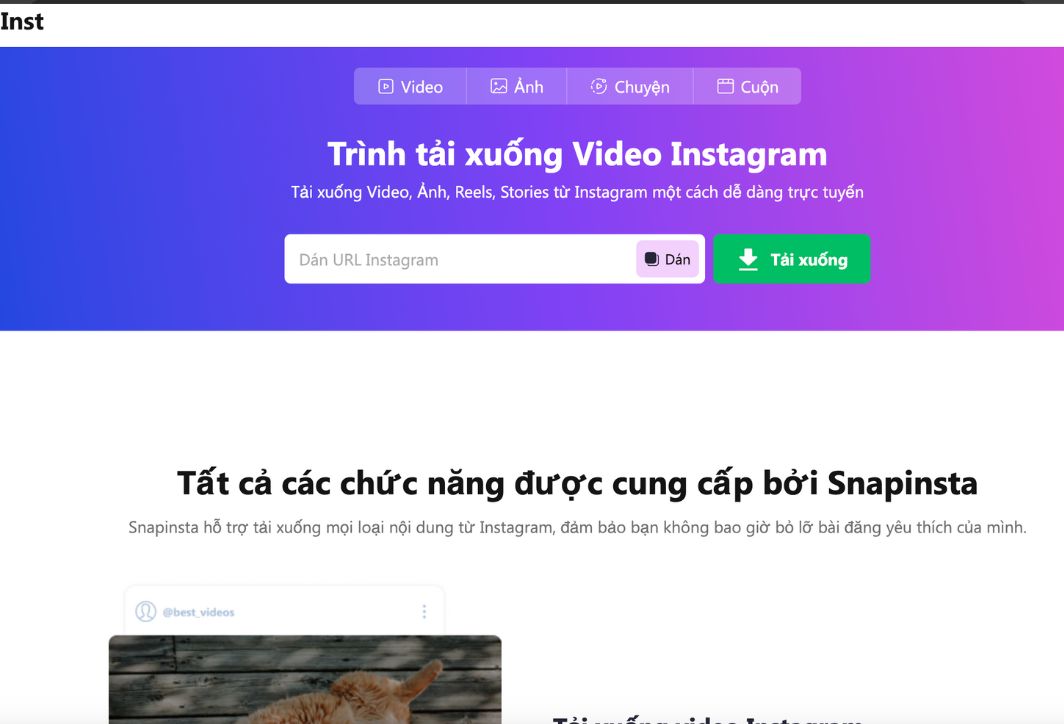
snapinsta.guru is the most popular software for downloading Instagram videos.
Important notes when downloading videos from Instagram.
When downloading Instagram videos, please keep the following in mind to ensure device safety and respect copyright:
- Not logged in to account: Avoid using websites that ask you to enter your Instagram password to download videos. Reputable tools only require a public link.
- Respect copyright: This video is for personal use only. If you wish to repost it, please ask the owner for permission and credit the source clearly.
- Beware of advertisements: Free websites often have many pop-up ads. Absolutely do not click on any messages such as "Your computer is infected with a virus" or "You need to update your software" that appear on these sites.
- Check the format: Make sure the downloaded file has the correct extension. .mp4 So that it can be played on all devices.
Common errors and how to fix them
Sometimes you might encounter failed Instagram video uploads, usually due to:
- Private account: You cannot download videos from locked accounts. The tool only works with public accounts.
- The link is broken: Make sure you've copied the correct video link, not the profile link.
- Internet connection: HD quality videos have a fairly large file size, so please ensure you have a stable internet connection to avoid interruptions during download.
Downloading Instagram videos to your computer is now incredibly simple thanks to modern online tools. With just a few copy and paste steps, you can have your favorite videos in the highest quality to watch again anytime. Hopefully, this detailed guide will help you store and create content more effectively.





 English
  Vietnamese