

Nowadays, you can use video editing software directly on your smartphone without needing fancy equipment. However, depending on the purpose of your video production, you should choose the appropriate software and equipment, especially for large projects requiring high technical skills. Let's take a look at the Top 7 widely used video editing software in the content below.
Top 7 high-quality video editing software
Choosing the right video editing software is like an artist choosing a paintbrush; it must be comfortable to use, versatile, and capable of turning ideas into reality. Below is a list of 7 top-rated software programs, categorized by different user groups, for your reference:
1. Adobe Premiere Pro – Professional video editing software
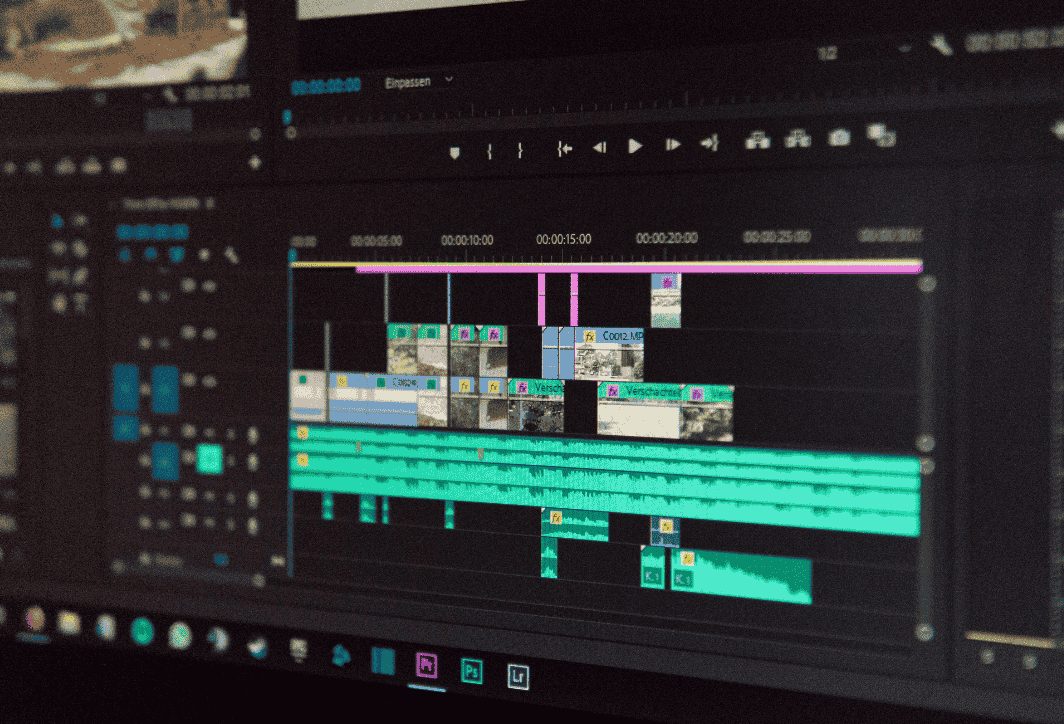
When it comes to professional video editing, Adobe Premiere Pro is always the first name that comes to mind. It's a comprehensive and powerful video editing software, and the top choice for filmmakers, television editors, and popular YouTubers.
Key features:
- The interface is highly flexible and customizable: The timeline is based on separate tracks for video and audio, allowing users to control each element in detail.
- The Adobe Creative Cloud ecosystem: Premiere Pro's greatest strength lies in its seamless integration with other Adobe software such as After Effects (for creating special effects), Audition (for advanced audio processing), Photoshop, and Illustrator.
- Professional color correction tools: The Lumetri Color panel offers incredibly powerful color grading and color grading capabilities, helping you create films with cinematic mood and color.
- Supports a variety of formats: Premiere Pro can handle any video format, from professional cameras and drones to smartphones.
Suitable for: Professional video editors, filmmakers, creative agencies, and anyone who wants to seriously pursue a career in video editing.
2. Final Cut Pro – Video editing application
If you're an Apple fan, Final Cut Pro is a must-have video editing software. Developed by Apple itself, this software is perfectly optimized for macOS hardware, delivering smooth performance and incredible rendering speeds.
Key features:
- Magnetic Timeline: This unique feature automatically arranges and links clips, avoiding overlaps or unwanted gaps, significantly speeding up the video editing process.
- Outstanding performance: By fully leveraging the power of Apple Silicon chips (M1, M2, M3…), Final Cut Pro delivers incredibly impressive processing, rendering, and 4K, and even 8K, video output speeds.
- Intuitive interface: Despite being professional software, Final Cut Pro's interface is considered more user-friendly and easier to learn than Premiere Pro.
- Buy once, use for a lifetime: Unlike Adobe's subscription model, you only need to pay a one-time fee to own Final Cut Pro forever.
Suitable for: macOS users and content creators want a fast and efficient workflow.
3. DaVinci Resolve video editing software
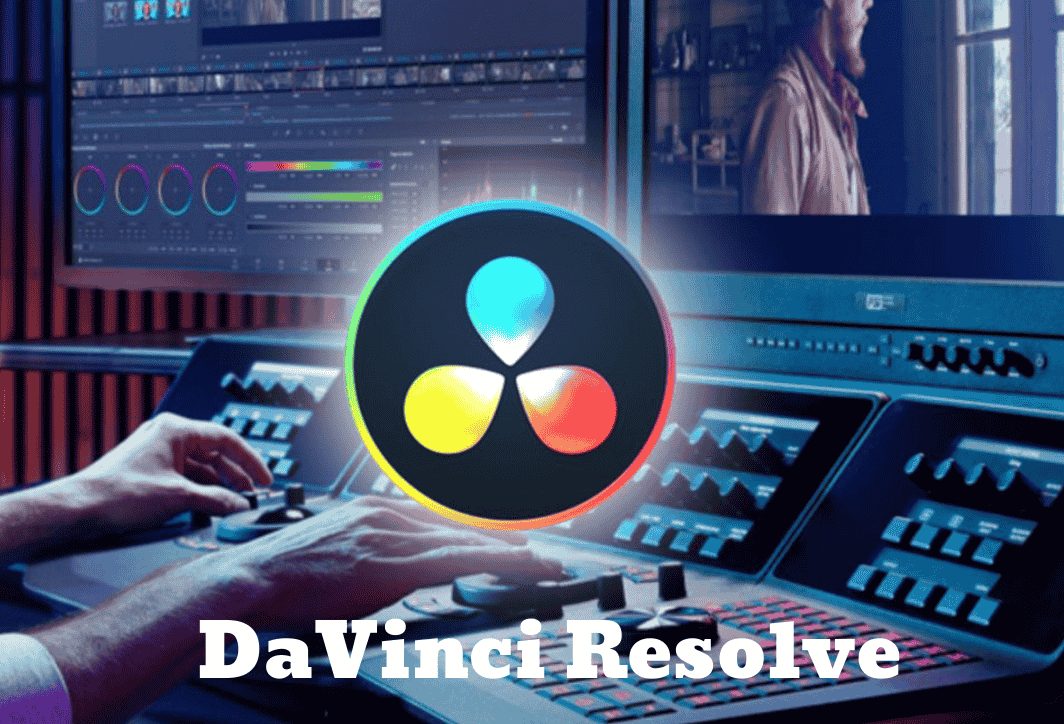
Originally a leading Hollywood professional color grading tool, DaVinci Resolve has evolved into a formidable, comprehensive video editing software. Most notably, Blackmagic Design (the development company) offers a free version with all the basic and advanced features.
Key features:
- Masterful color grading: DaVinci Resolve's color grading, tracking, and color processing tools meet cinematic standards.
- Multifunctional integration: The software is divided into specialized "Pages": Cut (quick editing), Edit (detail editing), Fusion (VFX), Color (color correction), Fairlight (audio), and Deliver (file export). This is like having multiple professional software programs in one.
- The free version is incredibly powerful: The free version of DaVinci Resolve is more than sufficient for most basic to semi-professional needs, supporting video export up to 4K.
- Effective teamwork: The Studio version (paid) offers powerful collaboration tools, allowing multiple people to work together on a project.
Suitable for: It's suitable for everyone, from beginners wanting to try out a free professional software to color grading experts and independent filmmakers.
4. CapCut – A popular video editing app
CapCut, the "darling" of ByteDance (the parent company of TikTok), quickly dominated the mobile video editing market and is now aggressively expanding into the desktop platform. It's an extremely user-friendly and trend-setting video editing app.
Key features:
- Easiest to use: The intuitive drag-and-drop interface and easily accessible features make it suitable even for those with no prior video editing experience.
- A huge library of effects and sounds: CapCut offers a massive library of effects, filters, stickers, and especially trending TikTok music, all free and copyright-free.
- Intelligent AI features: Automatically generating subtitles from voice, removing video backgrounds without a green screen, converting text to speech… these are AI features that save considerable time.
- Free and watermark-free: This was a significant advantage over many other free software programs in the past. Currently, to use more features, users have to purchase the Pro package to upgrade the editor.
Suitable for: This tool is for content creators on social media platforms like TikTok, Instagram Reels, and YouTube Shorts; beginners; and anyone who needs a fast, compact, and lightweight video editing tool.
5. Shotcut – A multi-user video editing app
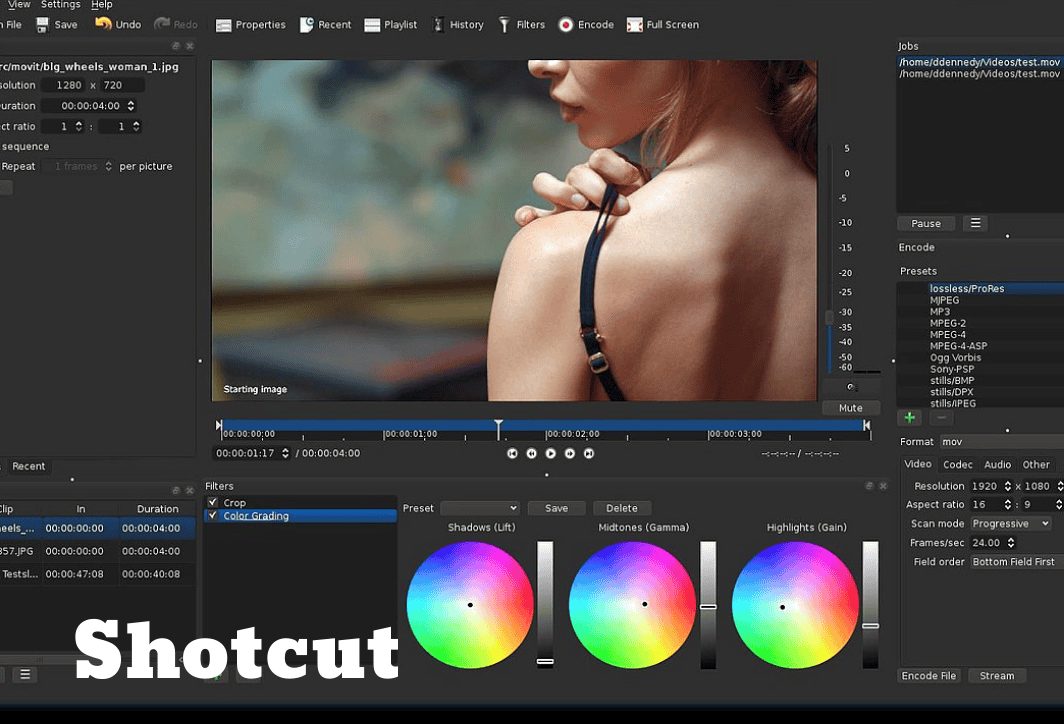
Shotcut is a free, open-source, multi-platform video editing app (Windows, macOS, Linux). Despite its lack of a flashy interface, Shotcut boasts impressive power and versatility.
Key features:
- Supports wide formats: Thanks to its integration with FFmpeg, Shotcut can handle hundreds of video and audio formats without conversion.
- Many advanced features: It supports 4K video editing, has a flexible timeline, a variety of video and audio filters, and fairly good color grading capabilities.
- It doesn't require high-end computer specifications: Shotcut runs relatively smoothly even on computers with less powerful configurations.
- Completely free: No paid version, no ads, no watermark.
Suitable for: This software is suitable for budget-conscious users, students, or anyone needing free software with relatively powerful features.
6. Lightworks video editing software
Lightworks has a long history and has been used to create many Oscar-winning films such as "Pulp Fiction" and "The Wolf of Wall Street". The software offers a free version with certain limitations on output resolution (maximum 720p).
Key features:
- Professional workflow: Lightworks' interface and functionality are designed for professional editors, focusing on speed and efficiency.
- Precision cutting and splicing tool: Provides very powerful and precise trimming tools.
- Multi-camera editing (Multicam): It offers excellent support for synchronizing and editing videos from multiple camera angles.
Suitable for: Those who want to learn and become familiar with the professional filmmaking process, including independent filmmakers, are willing to invest time in learning a new tool.
7. Filmora – Video editing software
Wondershare Filmora is a video editing software that strikes a balance between ease of use and powerful features. It's a great choice for non-professional users who want to create professional-looking videos.
Key features:
- Simple, modern interface: Filmora has a clean and easy-to-navigate interface, making it easy for beginners to navigate without feeling overwhelmed.
- A library of effects and templates is available: It offers thousands of pre-designed titles, transition effects, filters, and motion graphics elements, all with drag-and-drop functionality.
- Interesting features: Integrates tools such as motion tracking, keyframing, and green screen detection in a simple way.
Suitable for: YouTubers, vloggers, marketers, and families who want to create memorable and travel videos quickly and beautifully.
A few things to keep in mind when using video editing software.
Choosing the right tools is only the first step. To ensure a smooth and efficient creative process, you need to remember a few important principles:
- Understand your own needs: Don't go for complicated software if you only need to do simple video editing.
- Check your computer's configuration: Professional video editing software like Premiere Pro or DaVinci Resolve requires a powerful computer (CPU, RAM, graphics card). Make sure your computer meets the minimum requirements of the software to avoid stuttering and lag.
- Organize your files scientifically: Before you begin, create a separate project folder and organize all your video, audio, and image files into neat subfolders. This will save you a lot of time searching later.
- Learn keyboard shortcuts: Mastering keyboard shortcuts for basic operations like cut, paste, split, and play/pause will significantly increase your workflow speed.
- Save the project regularly: Make it a habit to press Ctrl + S (or Cmd + S) after every few important tasks to avoid wasting your effort if the software unexpectedly crashes or the computer loses power.
- Don't overuse the effect: Effects and transitions can make your videos look more lively, but using too many can be visually distracting and unprofessional.
- Focus on sound: Ensure the sound is clear, free from interference, and that the volume levels between the background music and the vocals are properly balanced.
Right Media – Professional video production solutions for businesses
Choosing the right video editing software is an important first step. However, creating truly stunning videos is another matter entirely. corporate filmsFor a product introduction video or TV commercial that evokes emotions and achieves high marketing effectiveness, you need more than that. It requires a creative script, an experienced production team, and state-of-the-art equipment.
If you're looking for a reliable partner to elevate your brand image through video, Right Media That's the answer.

At Right Media, we're not just filmmakers or editors; we're visual storytellers, providing comprehensive video production solutions, including:
- Corporate video: Communicate your business's story, mission, vision, and core values in an impressive and inspiring way.
- Product/service introduction video: Transform dry, abstract features into practical, intuitive benefits that stimulate interest and drive customer purchasing decisions.
- TV commercial: Creating unique, trend-setting ideas helps your advertising message spread powerfully across various media channels.
- Video marketing: Create diverse video content for social media platforms (YouTube, Facebook, TikTok) to attract, engage, and build a loyal customer community.
Why choose Right Media?
- Creative team: From directors and screenwriters to cinematographers and post-production specialists, everyone is passionate, experienced, and always up-to-date with the latest filmmaking trends.
- Professional process: We work according to a systematic process, from receiving requests, brainstorming, production to post-production and delivery, ensuring the timeliness and quality of the final product.
- Modern equipment: Right Media invests in world-class cameras, lighting, sound systems, and professional video editing software, committed to delivering the sharpest and highest quality footage.
- Cost-effective solution: We offer a range of flexible service packages, tailored to fit the specific budget and goals of each business.
Instead of wasting time and resources figuring things out yourself, let Right Media help you create professional, effective, and truly unique video products. Contact us via:
Address:
- HCM Office: 311/70A No Trang Long Street, Ward 13, Binh Thanh District, Ho Chi Minh City.
- Hanoi Office: 105 – E5, Trung Tu Street, Dong Da District, Hanoi.
Phone number: 0901 39 10 02
E-mail: anhtai@rightmedia.vn
The world of video editing software is vast and diverse. There's no single best software, only the one that best suits you. Hopefully, this detailed article has given you an overview and helped you choose a reliable companion on your journey to creating your own impressive films. Start small, persevere in learning, and don't hesitate to experiment; success will surely come.