Livestreaming a shareholders' meeting involves broadcasting the meeting live to shareholders who are located remotely. The broadcast requires multiple cameras, audio from a mixer, and a backup internet connection. Customer conferences use the same equipment but have different viewers and security levels. This article covers what needs to be finalized with the team: personnel, equipment, internet connection, script, recording, link security, and costs.
Where else can you livestream a shareholders' meeting compared to livestreaming a regular event?
Livestreaming a shareholders' meeting is different in terms of viewers and accuracy. The viewers are shareholders, not the general public. They need to hear each report clearly, see the data slides correctly, and keep up with the voting process. A product launch might tolerate a few seconds of poor image quality, but a shareholders' meeting cannot.
Therefore, livestreaming a shareholders' meeting requires three things: a script that adheres to each agenda item, a link with limited viewership, and a complete recording. The biggest difference lies not in the equipment, but in the preparation.
| Criteria | Shareholders' Meeting | Customer Conference |
|---|---|---|
| Viewers | Shareholders, authorized representatives, organizing committee | Customers, dealers, and partners located far away. |
| Platforms commonly chosen | Online meeting room or private link | Fanpage, YouTube, website, online meeting room |
| Content in the image | Reports, presentations, data slides, voting sections | Speeches, product launches, promotional videos, awards ceremonies. |
| After the broadcast | The full record is stored internally. | Original recording, video recap, segmented clips |
Who are the members of the livestream team for a convention?
A live stream of a shareholders' meeting requires at least three roles: cameraman, video director, and live stream technician. The number of cameramen increases with the number of cameras. The specific size of the team will be determined after surveying the meeting hall.
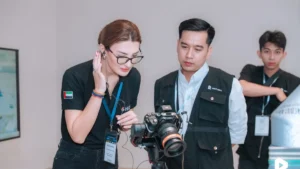
- Filming (2–4 people): Each person holds a device: a wide-angle shot of the stage, a close-up shot of the speaker, or a shot of the auditorium. Larger conferences add devices for the projection screen.
- Director of Photography: Sitting at the mixing console, switching between machines, inserting slides, and adding speaker names and titles according to the script.
- Streaming and network technician: Monitor stream quality and upload speed, and switch to a backup path when necessary.
- Viewer's perspective: View the stream like a remote shareholder, and report immediately if the audio is low, the image is frozen, or the slides are incorrect.
Businesses should assign a representative to sit alongside the director of photography to make decisions when the program changes at the last minute.
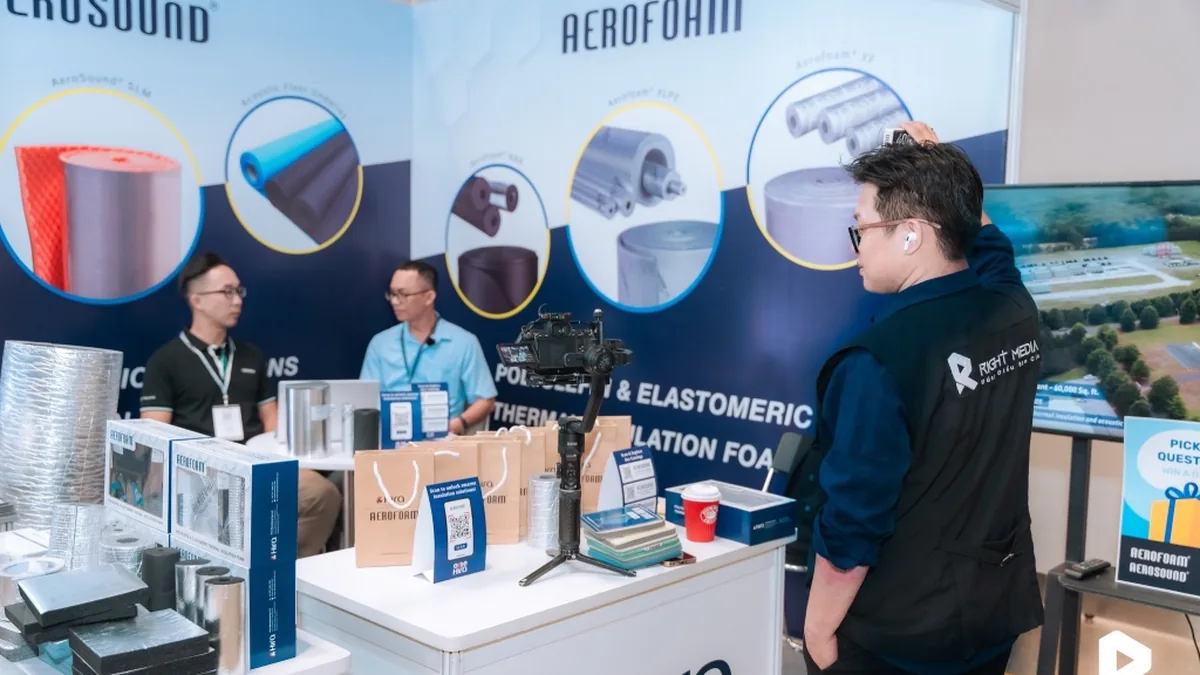
Equipment for livestreaming shareholder meetings and customer conferences.
Equipment set by page Right Media's event livestreaming service It consists of five parts. Livestreaming shareholder meetings and customer conferences use the same set, differing only in the number of devices.
- 2–4 cameras: There are enough angles so that viewers far away are not stuck in a single fixed frame for three hours.
- Mixing console: Direct scene transitions, slide insertion, speaker name insertion, and video clip insertion.
- Audio is taken directly from the mixer: The sound is clean and doesn't echo in the hall like when recording with a microphone attached to a camera.
- Backup connection: Wired internet combined with a 4G router, automatically switches when the main line drops.
- High-quality recording: It is stored in parallel with the broadcast stream, regardless of network quality.
The Q&A session typically uses handheld microphones passed around the hall. The team needs to know in advance how many microphones there are and whether all of them go through a mixer.
How should a backup internet connection be prepared?
A dedicated wired internet connection is required for the crew, plus a backup 4G router that automatically switches if the main connection drops. Do not share Wi-Fi with guests. For a Full HD stream, a minimum upload speed of 10 Mbps is required; stability is more important than high speed.
The hotel's Wi-Fi, shared among hundreds of attendees, would likely not have enough bandwidth to handle the video feed. Therefore, the team checked the internet connection during the site survey, rather than waiting until the day of the event.
Three things businesses should do about the venue before the general meeting:
- Request a dedicated telephone line from the hotel or building, clearly stated in the hall rental agreement.
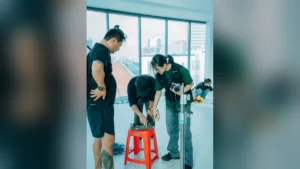
- Allow the crew into the auditorium to survey and check the placement of the equipment, the power source, and the wiring.
- Schedule the setup so the test run can begin at least two hours before the opening ceremony.
Presentation script: slides, speaker's name, video
The presentation script is a summary of what's shown on the stream for each program item: which screen, which slide, whose name, which video. Without this summary, shareholders who are far away will only see the speaker at the moment they need to see the data.
A good script for each program item would include:
- Estimated timeframe and person in charge of that item.
- The speaker's name and title are accurate, as they appear on the business card.
- The name of the slide or video file, along with the page number of the important slides that need to be displayed for an extended period.
- When to switch to the auditorium view, and when to keep the slide in full screen.
Slide files should be sent to the team one day in advance, and the final version should be finalized before the rehearsal. Last-minute slide edits can cause the stream to mistakenly show an outdated version.
Customer conferences often include corporate films during the program. Golden Lotus Construction once screened a film at its year-end party for employees and partners. Statement from a Golden Lotus representative., partners are "more satisfied and trusting." When streaming, video should be inserted directly from the mixer instead of going back to the LED screen.
How can I keep the stream link for invited guests only?
Livestreaming shareholder meetings should be done through a password-protected online meeting room or a private video link. The link should only be sent through the company's own channel, according to the invited guests list. Do not post the link on fan pages or open chat groups.
Shareholder verification and voting are not part of the livestream. That part is done according to the company's regulations for organizing general meetings. The team handles the video and audio, and configures the broadcast stream according to the format the company has decided on.
Things that should be agreed upon with the team beforehand:
- Play account: Using the company's account, grant access to the team before the event, and revoke it after the broadcast.
- Display mode: Keep private or private, disable suggestions, and turn off embeddings on other pages if the platform allows it.
- Comment: The channel is either turned off, or only on in censored meeting rooms; shareholder questions go through a channel designated by the organizers.
- After the meeting: The stream will be moved to private or removed, at the discretion of the organizers.
Customer conferences are the opposite: businesses usually want a large audience. A single stream can be simultaneously broadcast to a fan page, YouTube, website, and online meeting room.

Recorded footage from the livestream of the shareholders' meeting.
The crew records a high-quality version directly at the camera, simultaneously with the live broadcast. This version is unaffected by network fluctuations. For a shareholders' meeting, this is a complete video record of the session for the company to keep internally.
Businesses should finalize three things about the record beforehand:
- Will you provide the full version from the opening to the closing ceremony, or just the main parts?
- Format and save location: hard drive, internal shared folder, who has access rights.
- Do we need a short recap or clips of individual parts of the speech?
With customer conferences, the recordings can be reused more effectively. Speeches by leaders, product launches, and dealer recognition sessions can all be edited into short video clips.
What has the Right Media event team done on real projects?
Rightmedia.vn hasn't yet posted any shareholder meeting livestream projects. The three event video projects below demonstrate how the team prepared and applied techniques suitable for a live broadcast.
Hira Manufacturing: Survey beforehand to avoid missing the moment.
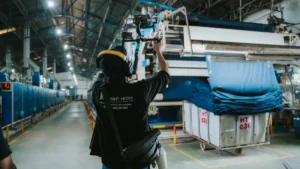
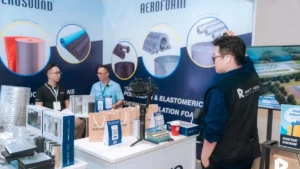
Hira's booth at the Vietnam Supporting Technology Products and Equipment Exhibition 2025 was crowded, with many moments happening quickly. The team surveyed the space before the event to choose the location for the main equipment. With livestreaming, this step is even more crucial because there's no chance to reshoot. View the Hira Manufacturing project..
Aura Beauty Clinic: Signing ceremony attended by international guests.
The Thermage FLX technology transfer ceremony included signing ceremonies, certificate presentations, and speeches by international experts. The 2-minute 19-second video of the event captured all of these parts. If broadcast live, such a ceremony would require close-ups of the speakers, ensuring their names and titles are accurately displayed on screen. View the Aura project.
Eco Day 2026: Two brands share the same name.
Eco Day was co-organized by Far Eastern Polytex (FENC) and AEON Mall. The 3-minute 56-second recap video showcases both brands through their uniforms, booths, and event backdrop. Customer conferences with co-organizers should also consider this in their broadcast scripts. View the Eco Day project.

What are the costs of livestreaming a shareholders' meeting?
The cost of livestreaming a shareholder meeting depends on the number of cameras, the number of broadcasting platforms, and the duration of the program. Right Media's reference rates range from 6 million VND/4-hour session (one camera, one platform) to 18 million VND/session (three cameras, graphic design, video director), excluding VAT, applicable in Ho Chi Minh City and within a 100 km radius. Details of what's included in each price range are provided in the article. Livestream sales and event costs.
A half-day shareholder meeting in a typical auditorium uses two mixers and a mixing console. A full-day client conference with multiple rooms or requiring interpretation will cost more. An accurate quote will be provided after a site survey.
Frequently Asked Questions
Should we livestream the shareholders' meeting on YouTube or in a virtual meeting room?
A virtual meeting room is suitable when shareholders need to ask questions or the organizers want to know who is attending. A non-public YouTube link is suitable when there is a large number of viewers and only one-way viewing is required. Which format is used for official attendance is determined by the company's regulations for organizing the general meeting.
What if someone dies in the middle of a meeting?
The backup 4G transmitter automatically switches over when the wired connection is down, so viewers will only see brief interruptions in most cases. If both connections fail, the recording on the camera will continue playing. The organizers should prepare announcements and backup links to send to shareholders when needed.
Can a team livestream and record a video recap of a conference at the same time?
Yes, because the high-quality recording is saved in parallel with the live stream, and the recap is edited from this recording. If you want behind-the-scenes footage or short interviews outside the auditorium, you'll need an additional mobile cameraman.
Finalizing the survey schedule for the conference.
Please send the team three pieces of information: date and time, location, and the broadcast format chosen by the organizers. Right Media will survey the venue, suggest the number of microphones, provide backup transmission options, and explain how to secure the broadcast link. See the scope of work on this page. Livestreaming services for conferences, meetings, and events.or call the hotline 0901 391 002.