
What is 4K video recording? Is 4K video always sharp? In this article, Right Media will help you answer these questions. We will also provide a deeper analysis of the advantages and disadvantages of 4K video recording, helping you make a more informed decision when producing videos.
What is 4K video recording?
Define
4K filming It is the process of recording video with a horizontal resolution of approximately 4.000 pixels. To put it simply, The number of pixels in a 4K image is four times greater than the standard Full HD 1080p we are familiar with.
Imagine your TV screen as a mosaic made up of tiny tiles:
- With Full HD, You need approximately 2 million bricks (1920 x 1080).
- With 4K, you would need over 8 million bricks to fill the same area.
It is this high density that makes the image incredibly smooth, sharp, and detailed.
Distinguishing between UHD 4K and DCI 4K
This is where the average user often gets confused about the 90%. "4K" actually has two different standards:
UHD 4K (Ultra High Definition):
- Resolution: 3840 x 2160 pixels.
- Aspect ratio: 16:9.
- Application: This is the most common standard on TVs. computer monitor, YouTube and consumer-grade cameras. When you buy a 4K TV at the supermarket, It is UHD.
DCI 4K (Digital Cinema Initiatives):
- Resolution: 4096 x 2160 pixels.
- Aspect ratio: ~17:9 or 1.9:1.
- Application: This is the "genuine 4K" standard used in professional movie theaters, thanks to itsThe picture quality is slightly wider than UHD.

Why is 4K video recording becoming an inevitable trend?
The 4K filmmaking boom stems from three main factors:
- Display devices are constantly improving: The prices of 4K TVs and 4K computer monitors have dropped dramatically. Now, Most families own devices capable of displaying Ultra HD content. Supply must keep pace with demand.
- The streaming platform offers strong support: YouTube, Netflix, Vimeo and even Facebook now support 4K video playback. YouTube's algorithms also prioritize recommending higher-resolution videos because they keep viewers engaged for longer.
- The viewers' standards are very strict: Consumers' eyes are becoming increasingly discerning. Once you get used to seeing sharp images, They will feel uncomfortable having to go back and watch blurry videos. Broken grains.
The outstanding advantages of 4K video recording.
If you're wondering whether to upgrade to a 4K camera or hire a service. 4K filming or not, Then here are some compelling reasons to say "Yes":
1. Exceptional detail and sharpness:
This is the most obvious advantage. With 8 million pixels, 4K video recreates the real world in a vivid way. You can see each individual thread on the shirt. Every drop of sweat on an athlete's forehead or the smallest detail of a piece of jewelry. This is extremely important in commercial and product photography.
2. Flexible post-production capabilities:
This is the editors' "secret weapon". When you shoot 4K video but export the file in Full HD 1080p, You are capable of:
- Zoom in: You can zoom in on the image up to 2 times (200%) without any pixelation or blurring.
- Stabilization: When using image stabilization software in post-production, The frame will have its edges cropped. With 4K video, You have more than enough resolution to crop while maintaining sharp image quality.
- Create simulated machine movement: You can create pan or tilt shots directly in your video editing software from a still footage source.
3. Compression results in better quality:
Interestingly, a video shot in 4K and then compressed to 1080p will look better, sharper, and have better color than a video shot directly in 1080p. The reason lies in the color sampling algorithm. The downscaling process from 4K to HD minimizes noise and jagged edges, resulting in a smooth, "flawless" image.
4. Crop images from video:
With 4K video, Each frame is an 8MP (megapixel) resolution photograph. This is large enough for you to extract a high-quality still image to use as a YouTube thumbnail or post on Facebook without having to take a separate photo.

Disadvantages and challenges of shooting in 4K.
While 4K technology is amazing, it also presents significant drawbacks that you need to consider carefully. Its disadvantages include:
1. Huge storage capacity:
4K video consumes memory cards like water.
- A minute of 4K video at high quality (e.g., 100Mbps or ProRes codec) can take up anywhere from several hundred MB to several GB of data.
- You will have to spend money buying large-capacity memory cards (128GB, 256GB) and dozens of HDD/SSD drives for storing source footage.
2. Requires a powerful computer configuration:
To create smooth 4K video...You need a powerful PC workstation:
- CPU: Newer Core i7 or i9 processors, or Ryzen 7/9.
- RAM: Minimum 32GB (64GB recommended).
- GPU: VRAM of 6GB or more.
If your computer is too weak, the video editing process will be choppy and freeze, causing extreme frustration.
3. Overheating and battery drain:
Shooting 4K video requires the camera's sensor and processor to work at full capacity. This leads to:
- Overheating: Many common models will automatically shut off due to overheating after 10-15 minutes of operation to protect the circuitry.
- Battery drain: You'll need to bring 3-4 spare batteries for a filming session.
4. Rolling Shutter Effect:
On DSLR/Mirrorless cameras, When shooting in 4K, fast-moving objects (like propellers, (when the car is moving) or when you pan the camera too fast, The image is easily distorted. distortion. This is a physical drawback of the sensor when having to read such large amounts of data from 4K resolution.

Comparing 4K vs Full HD 1080p video recording
To help you visualize, Please see the comparison table below:
| Criteria | Full HD (1080p) | 4K (UHD/DCI) |
| Resolution | 1920 x 1080 (2 million pixels) | 3840 x 2160 (8 million pixels) |
| Sharpness | Standard, sufficient for use. | Ultra-sharp, high detail |
| File size | Lightweight, easy to store. | Very heavy, consumes a lot of hard drive space. |
| Video editing configuration | A mid-range computer is sufficient. | A high-performance computer is required. |
| Zoom/Crop in post-production | The image is prone to pixelation if zoomed > 120% | Feel free to zoom in to 200% |
| Application | Television, Livestream, Web | High-quality TV commercials, movies, and YouTube videos. |
When do you really need to shoot in 4K?
4K isn't always the best option. Choose 4K when:
- Professional filmmaking/TV commercial production: The highest image quality is required for projection onto a large screen.
- Visual effects (VFX) post-production is needed: 4K helps to achieve cleaner green screen separation and more accurate object tracking.
- Filming landscapes/travel: To capture the detailed beauty of nature.
- Want to be "Future-proof"? You want your videos to still look good and not become outdated in 5-10 years.
Choose Full HD 1080p when:
- Livestream: The current internet connection is not stable enough for smooth 4K streaming.
- Filming long events: Filming a 3-4 hour conference in 4K is a disaster for storage and battery life.
- Making TikTok/Reels videos: Users view it on a small phone screen. 1080p is more than enough and uploads faster.
Equipment needed to start shooting 4K video
If you decide to venture into the 4K world, Here's what you need to prepare:
1. Camera/camcorder that supports 4K
There are now many options available, from budget-friendly to high-end:
- Smartphone: iPhone 13/14/15/16/17 Pro Max, Samsung Galaxy S23/S24 Ultra.
- Action Cam: GoPro Hero 10/11/12.
- Mirrorless: Sony A7SIII, Sony A6400, Fujifilm X-T5, Canon R6 Mark II, Panasonic Lumix GH6.
2. High-speed memory card
Don't use old memory cards! You need a standard memory card. SDXC UHS-I U3 or better yet UHS-II V60/V90. The minimum write speed must be 30MB/s (for basic 4K) or 60-90MB/s (for high-quality 4K/slow motion).
3. Video editing computer
You should invest in an NVMe SSD for the fastest data read/write speeds. This helps to make "timeline scrolling" in 4K smooth and lag-free.
4. Standard 4K display
Of course, to spot flaws and admire 4K video, You need a monitor with a suitable resolution and good color coverage (sRGB or DCI-P3).
Tips for editing 4K videos on low-end computers.
If you happen to shoot in 4K but your computer is too weak, don't worry! Use technique. Proxy.
- Create a Proxy: Video editing software (Premiere Pro, DaVinci Resolve will create a copy of the original video but at a lower resolution (e.g., 720p) and with a smaller file size.
- Built on a Proxy: You cut and paste, The modifications made to this lightweight version have resulted in very smooth performance.
- Export file: When exporting, the software will automatically retrieve the original 4K file for rendering.
Result: You get a smooth editing experience while still having top-quality 4K video output.
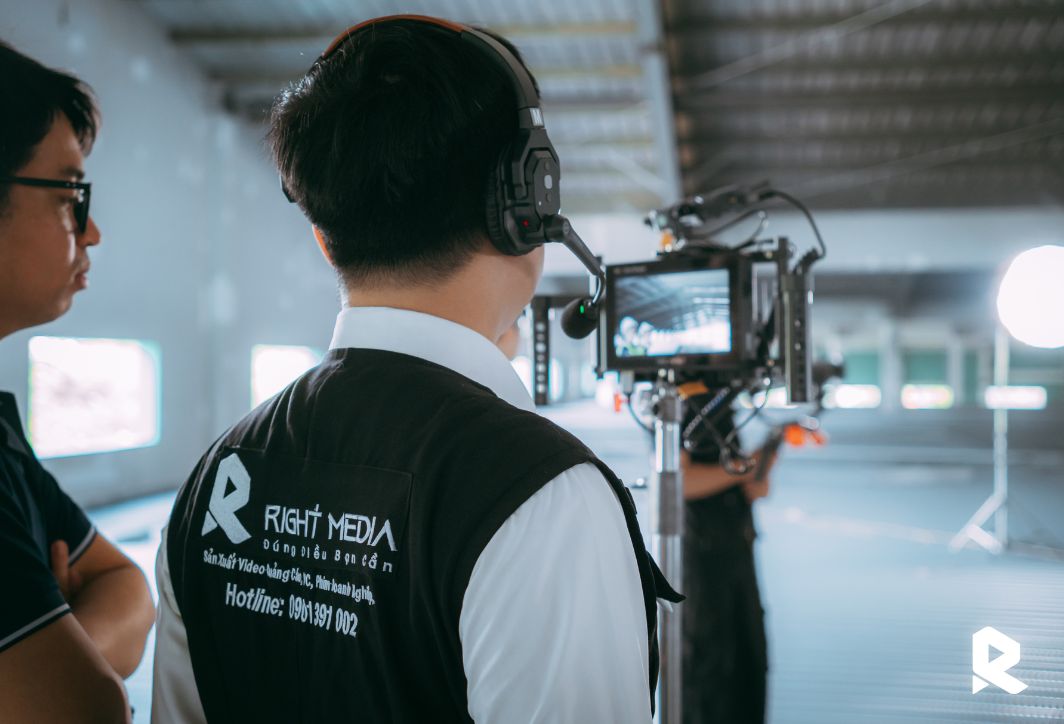
Right Media – Professional and dedicated 4K video production solutions.
Understanding the technical aspects is one thing, but to carry out a project 4K filming The complete process requires significant investment in equipment and personnel. That's why Right Media We're here to accompany you. Why choose 4K video production services at Right Media?
- Cinema Standard Equipment: Right Media owns a Sony Cinema Line (FX3) camera system. FX6) The Red Komodo is capable of shooting in 4K. 6K in RAW format, It delivers image quality that meets international cinematic standards.
- DEDICATION brings PEACE OF MIND: With extensive practical experience, Right Media's technical team always has contingency plans and strict data control procedures in place. Customers will be completely satisfied. feel at ease when entrusting your brand image to us.
- Transparent pricing: Right Media offers extremely competitive service prices. Price list always transparent, details of each item, There are no hidden costs.
- In-depth post-production support: 4K video editing at Right Media is more than just cutting and pasting. We perform in-depth color correction on Hollywood-standard monitors. Ensure your video is as vibrant and impressive as possible.
In conclusion, 4K filming. It is no longer a technology of the future. It is the current standard. Mastering this technology will help you create high-quality video products. Respecting the viewer's visual experience and enhancing brand value. Despite some drawbacks in terms of capacity and configuration, but with superior advantages in sharpness and post-processing capabilities, 4K is definitely worth the investment.
If you are looking for a reliable partner to produce 4K advertising videos, corporate or event videos, Don't hesitate to contact us. Right Media. We are committed to providing high-definition imaging solutions. conscientious and most effective for your business.





 English
  Vietnamese