Film editing is a profession that requires many skills, flexibility, and creativity to create smooth footage that conveys the story's progression in the most coherent and engaging way. If you're just starting to learn about this job, you can refer to the top 5 easy-to-use video editing software with the best features below.
Top 5 easy-to-use video editing software programs suitable for beginners.
Film editing is the final step in the film and video production process. In other words, film editing includes post-production work, editing, and cutting and splicing footage with the help of modern technology. The role of film editor is considered crucial in a film crew.
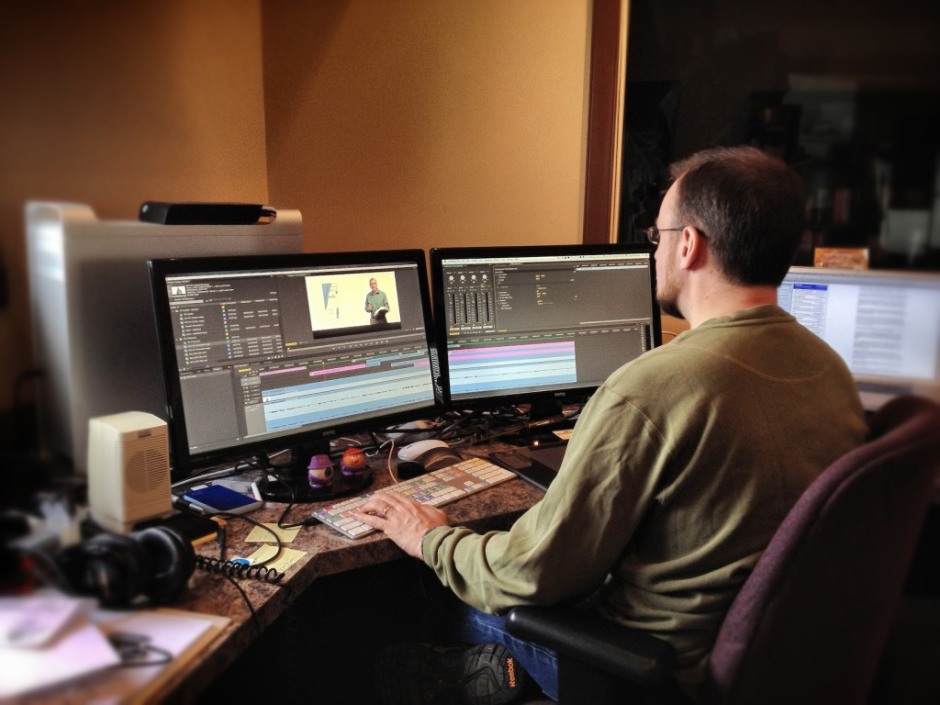
Filmmaking is a field that has received a lot of attention recently.
In recent years, the film editing industry has attracted a lot of attention due to the rapidly developing film industry. The number of films, from television series and theatrical releases to online streaming, commercials, and vlogs, is constantly increasing, requiring a larger workforce to meet the entertainment needs of the audience.
If you are interested in or just starting out in this field, you can refer to the 5 video editing software programs with user-friendly interfaces and flexible features suitable for beginners, compiled below.
Adobe Premiere Pro
Adobe Premiere Pro is video editing software used by both professionals and beginners. It's released by Adobe – a giant in the software industry (with Photoshop being one of its most popular products). In fact, Adobe Premiere Pro is considered a simpler version of Adobe Premiere Pro CC, yet it still offers basic, easy-to-use video editing features.
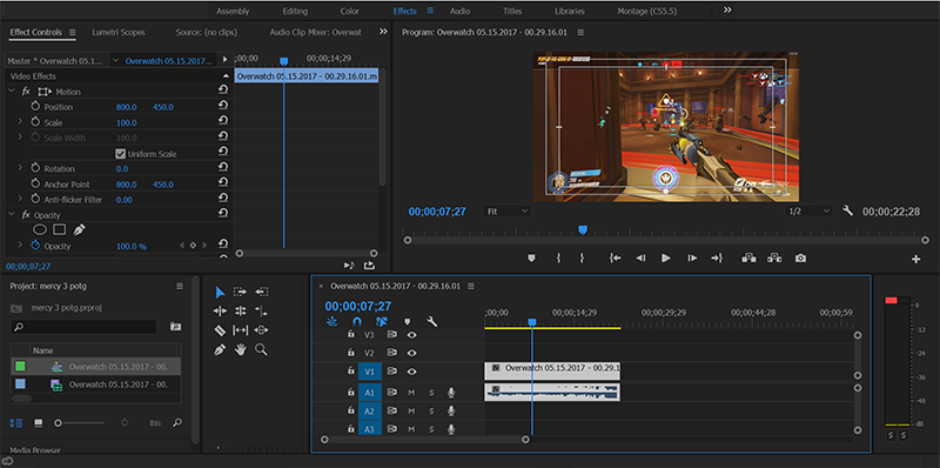
Adobe Premiere Pro is a widely used software program, both among beginners and professionals.
Advantage:
- Basic operations such as cutting, merging, and splitting videos, and adding visual/lighting/sound effects are quite easy to perform.
- A variety of transition effects and color filters can be used to make the footage smoother and more engaging.
- It can be used simultaneously with other editing software in the Adobe ecosystem such as After Effects, Photoshop, and Audition without the need for intermediate file export, saving considerable time.
- It allows exporting and editing files in various formats such as 4K, 8K, and HDR, all with good quality.
- It can be easily installed on both Windows and Mac OS operating systems.
- There are step-by-step instructions for beginners.
- This allows you to create films in a more professional manner.
- The intuitive interface makes it easy for beginners to get used to.
- Regularly updating new features helps to reduce working time.
Disadvantages:
- The bridge computer has a high and stable configuration to ensure the software runs smoothly.
- Some tools come with a fee, so beginners who are not yet very proficient may need to consider this.
Those who are just starting to learn video editing can refer to Adobe Premiere Pro. In addition, this software is also used by YouTubers, filmmakers, and those involved in television and live event production to create more professional videos.
Openshot
OpenShot is also a familiar software among filmmakers, usable by both professionals and amateurs. It is considered one of the best choices for those just starting out in filmmaking or video editing.
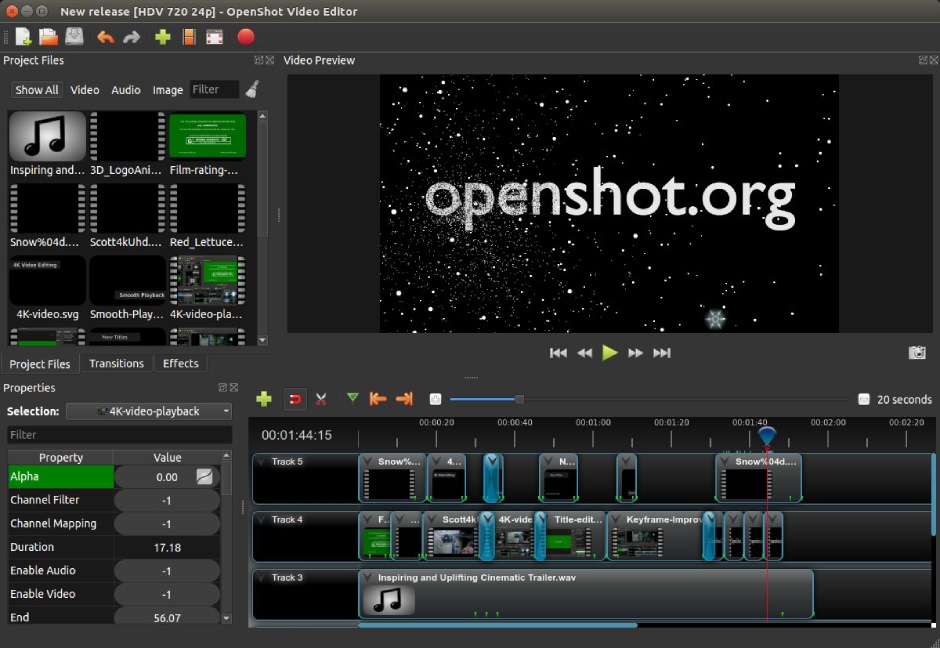
Openshot has many useful features for beginners learning video editing.
Advantage:
- The software is free, with no licensing fees, yet it provides all the necessary tools and features for video editing.
- Export video files in 720p, 1080p, and 4K resolutions, and allow direct uploading to platforms such as YouTube and Vimeo.
- Basic features include video editing, transition effects, brightness/contrast adjustment, 3D animation (slow-motion) and fast-motion.
- Compatible with various operating systems such as Windows, macOS, and Linux.
- The user-friendly interface is easy to learn and use, making it extremely suitable for beginners in film and video editing.
Disadvantages:
- It might be a bit slow if the videos are in high resolution.
- Some professional features, such as detailed audio editing or 360-degree video editing, have not yet been updated.
- There aren't many options regarding transition effects, colors, etc.
With the above features, Openshot is a suitable software for beginners learning video editing or needing to edit simple videos, offering free access while still ensuring a high-quality final product.
Windows Movie Maker
Another video editing software that's great for beginners is Windows Movie Maker. While its tools and features aren't overly professional, it's still sufficient to help you create a basic, polished video or short film easily.
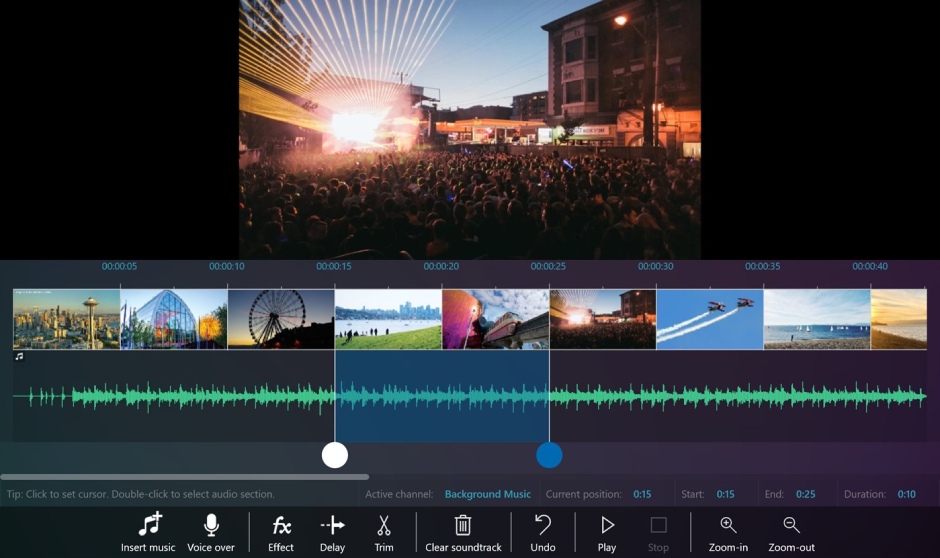
Windows Movie Maker offers all the basic features, but it is only integrated into the Windows operating system.
Advantage:
- It supports basic features such as cutting, copying, and merging videos, as well as basic lighting and transition effects.
- Text and content can be inserted into videos.
- Allows exporting files in 720p, 1080p, MP4, AVI, and WMV formats, and can also be uploaded directly to YouTube.
- The interface is simple, easy to use, and completely free.
- You can add background music or make basic audio edits.
Disadvantages:
- This feature is only available on computers running Windows, but it may not work on newer versions of Windows.
- It has many limitations in terms of features, such as support for 3D video editing or advanced color grading.
- The file output format is also limited and not very smooth.
In general, with these characteristics, Windows Movie Maker is still only suitable for those who are learning and starting to experiment in this field, and is hardly used if professional editing is needed. Nevertheless, as a completely free software with essential tools, it's still worth trying even if you don't have much knowledge or experience.
Filmora
Filmora is also considered one of the most user-friendly video editing software programs, with a wide range of tools, making it a popular choice for beginners or non-professionals in video editing. Some professional users also began developing their initial skills thanks to this software.
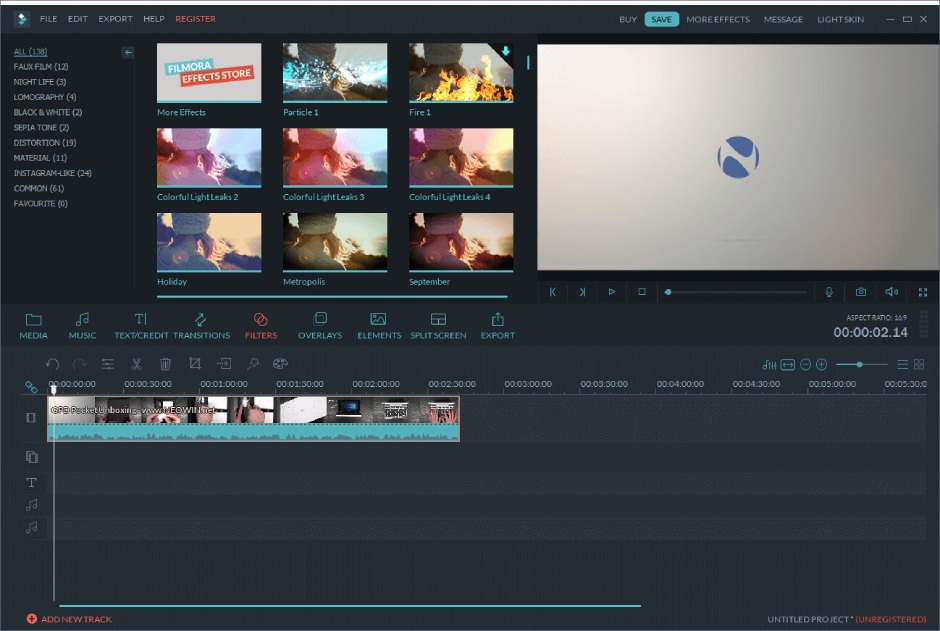
Filmora has a user-friendly, simple, and easy-to-use interface.
Advantage:
- The interface is user-friendly, simple, and well-organized, allowing users to quickly memorize information.
- It supports basic features such as cutting and splicing videos, processing videos, adding and editing sound effects, and adjusting video speed (slow-motion and fast-motion).
- We offer a range of transition effects, from basic to advanced, such as fade-in, bloom, or lighting and animation effects, to make your videos more lively and engaging.
- Adjust video color with available filters such as glitch, vintage, and retro.
- Compatible with Windows and macOS operating systems.
- It supports high-resolution 4K video output and can be conveniently uploaded directly to platforms like YouTube, Facebook, and Vimeo.
- Allows editing of 360-degree videos.
Disadvantages:
- The free versions will have a watermark logo, but the paid versions aren't too expensive, so new users can still consider trying them out.
- A powerful computer is required for fast and smooth editing and file export.
Filmora is also used by professionals, but compared to some other video editing software, it lacks a wide range of features. However, for those learning video editing, working as vloggers or YouTubers, or simply beginners who want to create professional-looking videos without spending too much money, this is a software worth considering.
CyberLink PowerDirector
One video editing software with many basic tools that you can consider if you are just starting to learn is CyberLink PowerDirector. Similar to the software mentioned above, CyberLink PowerDirector also provides the necessary features to edit and complete a simple video, combined with a user-friendly interface that helps users gain essential skills and knowledge.
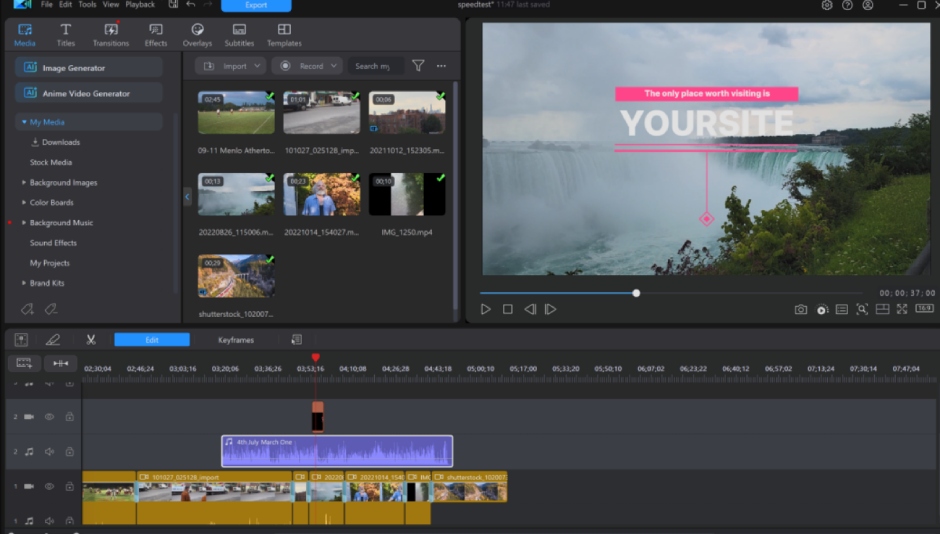
CyberLink PowerDirector is a highly recommended software for beginners learning video editing.
Advantage:
- The interface is user-friendly, and you can easily drag and drop videos or effects onto the timeline for more detailed editing.
- It offers features for adjusting color, contrast, audio, and noise to improve video quality.
- Providing transition effects, color filters, animations, or multi-layer editing helps make videos more lively and interesting.
- Allows editing of 360-degree videos and virtual reality (VR) videos.
- Software support is available for both popular operating systems: Windows and iOS.
- There is hardware acceleration technology that helps the video export process to be fast and smooth while still ensuring high video quality.
- It has AI and auto-editing features that help shorten video editing and finalization time.
Disadvantages:
- Limited editions often have restricted features or may include a watermark logo when exporting files.
- A high-performance computer is required to ensure smooth and seamless editing.
CyberLink PowerDirector is considered suitable for both beginners and experienced professionals due to its many interesting features. Even vloggers, YouTubers, or those specializing in 360-degree and VR video can create and edit engaging and vibrant videos using this software.
Above are some suggestions from Right Media regarding video editing software that can meet the essential needs of beginners who are learning about this field. Depending on your skills and knowledge, you can also refer to many other software programs, from basic to advanced, from free to paid. In general, depending on your needs, you can choose the necessary software to create the perfect and most satisfying video.





 English
  Vietnamese