
A storyboard is more than just a sketch; it's a detailed blueprint that visualizes every moment of the story before the camera starts rolling. Understanding this type of script and how to build one correctly is an essential skill for directors, cinematographers, producers, and creative teams. This article will delve into the definition, role, common types, and provide detailed guidance on creating a perfect storyboard, helping you optimize your production process and realize your creative vision.
What is a storyboard? What is its role?
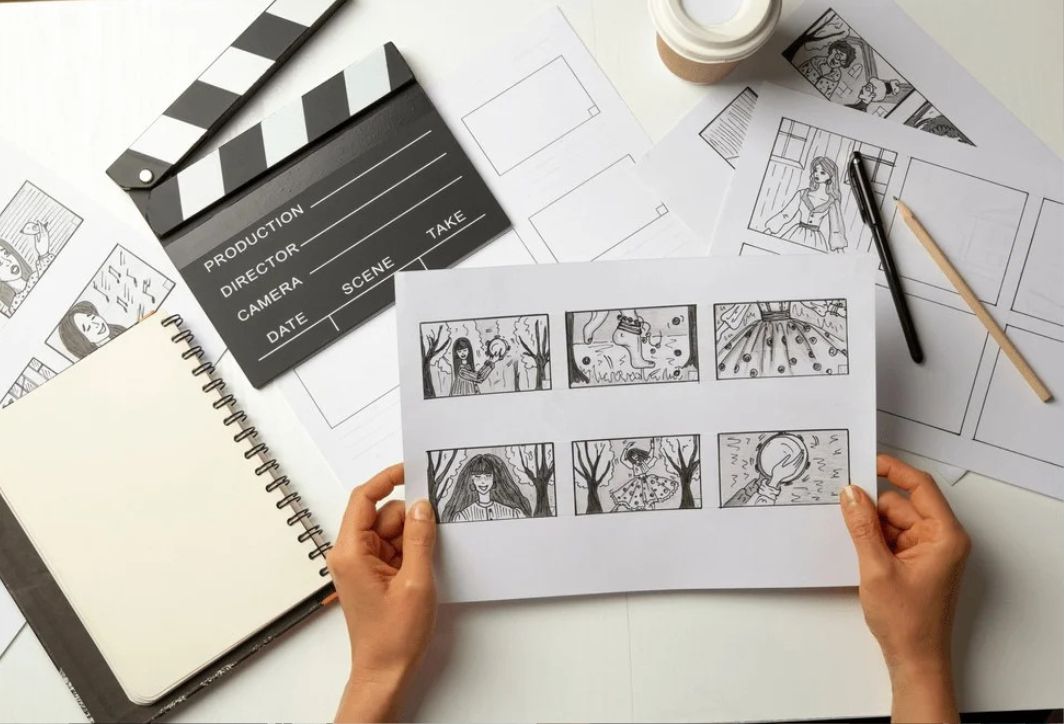
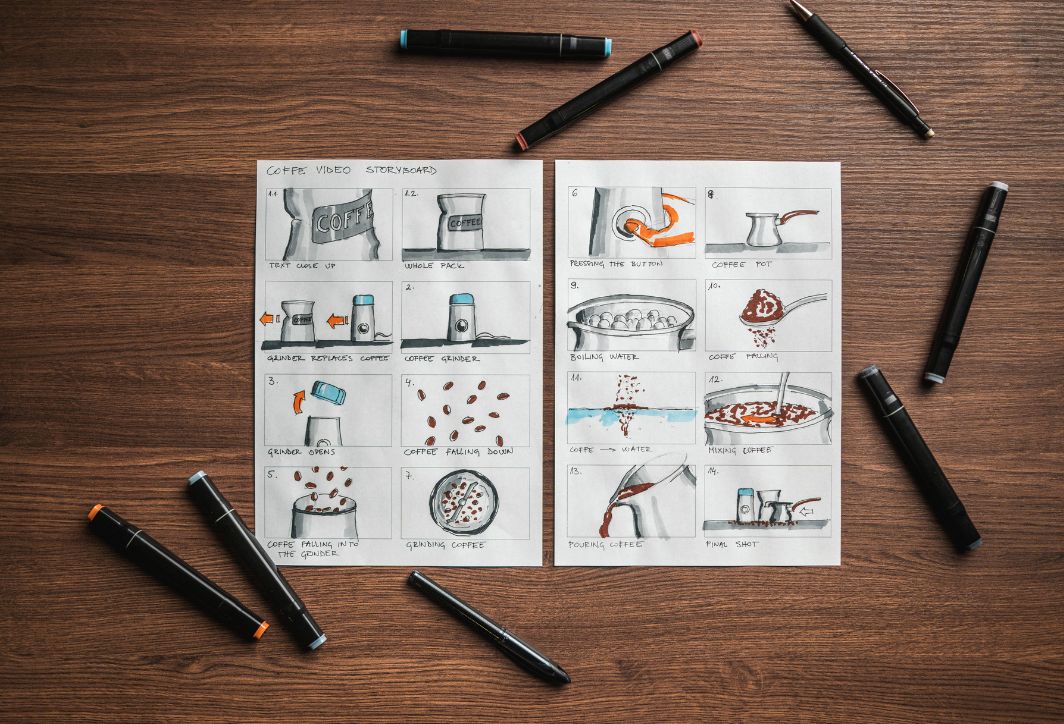
A storyboard is a series of illustrative images arranged chronologically, detailing each shot in a film or video project. It's like a giant comic book, where each frame represents a specific shot in the film's script. Each box in the storyboard includes:
- Image: Describe the action, setting, and characters.
- Technical specifications: Camera angle, shot size, camera movement.
- Sound: The planned dialogue, background music, and sound effects.
- Duration: Estimate the duration of that scene.
What is the English term for storyboard? The most accurate and commonly used term is Storyboard. Storyboard is a portmantein formed from "Story" and "Board," implying a board or panel that presents images in a narrative order. Other related terms:
- Storyboarding: The process of creating a storyboard.
- Panel: Each image is a separate piece in the storyboard.
- Shot List: A list of detailed shots (usually part of a storyboard or developed from a storyboard).
Investing time and effort into developing a storyboard yields irreplaceable strategic benefits in the production process:
- Visualizing the vision: It helps the director, cinematographer, and the entire crew visualize what the final product will look like. This is especially important for unifying the artistic vision.
- Save both time and money: Identify and resolve composition issues, camera angles, or illogical aspects of a shot right from the pre-production stage. Making changes on paper is always much cheaper and faster than reshooting the scene on set.
- Synchronized communication tools: Storyboards are a common language. They ensure that every department, from production design, director, cinematographer, lighting, to actors, understands exactly where the director wants them to go, what actions they want to take, and what camera angles they want.
- Assistance with filming planning: It helps the production manager accurately estimate the number of shots, the time required for each shot, the amount of equipment and personnel needed, and then create a detailed storyboard.
- Persuading investors/clients: A detailed and professional storyboard is a powerful tool for presenting ideas and convincing clients or investors of the feasibility and attractiveness of a project.
Common types of storyboards today
Depending on the project scale, budget, and objectives, storyboards can be presented in many different forms, from rudimentary to complex:
Traditional storyboard
This is the most basic form, usually hand-drawn or digitally created on paper or a board.
- Characteristic: It consists of a series of rectangular boxes, each containing a static drawing depicting the scene. Below each box is space for technical notes, dialogue, and action.
- Advantage: Fast, flexible, and suitable for the initial ideation phase and small, low-budget projects.
- Disadvantages: Sometimes there's a lack of detail regarding movement and 3D space.
Graphic storyboard
This is an upgraded version, usually created by professional artists using graphic design software.
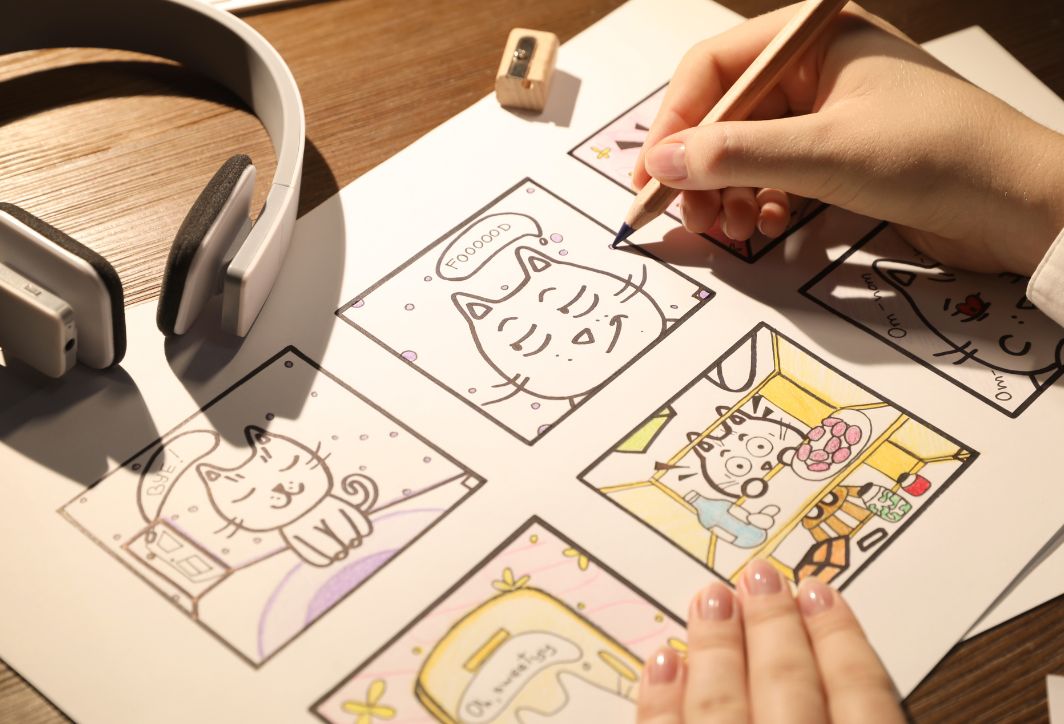
- Characteristic: The images are more detailed and clearer, potentially including more color, shadows, and high detail in costumes and props. This is suitable for large-scale TV commercials or feature films requiring high artistic accuracy.
- Advantage: High aesthetic appeal, easy to present to clients/investors, closely resembling the final product.
- Disadvantages: It is more time-consuming and expensive than hand-drawn.
Motion scene script
This is the most complex type of storyboard, bringing static images into motion.
- Characteristic: Still images are captured and stitched together to form a video. This is then supplemented with sound (dialogue, raw background music) and the actual timestamps of the footage.
- Advantage: It provides a nearly complete view of the pacing, timing, and camera movement. This is crucial for animation, films with many visual effects (VFX), or complex action scenes.
- Disadvantages: It's very time-consuming and requires basic video editing skills.
Digital storyboard
This is done using specialized software (such as Storyboarder, Plotagon, Toon Boom Storyboard Pro).
- Characteristic: Use pre-built templates, a library of 3D characters and props to quickly create panels.
- Advantage: Easily edit, change camera angles, and share with colleagues via the cloud. It strikes a balance between speed and professionalism.
How to build a basic storyboard.
The process of creating a storyboard needs to follow a logical sequence to ensure efficiency and accuracy:
Step 1: Analyze the basic scenario.
First, you need to read the original script carefully.
- Define the scene: Highlight the major scenes and main settings.
- Break it down into smaller shots: Analyze each scene into individual shots. Every significant action, every change in perspective, or every line of dialogue often requires a new shot.
- Create rough drafts (Thumbnails): Quickly sketch thumbnails on scrap paper to determine the basic composition of each shot.
Step 2: Prepare the template
Use a standard storyboard template (a grid of squares or rectangles). Each square needs space to fill in the following information:
- Shot number: (For example: 1A, 1B, 2A,…)
- Large frame: To draw pictures.
- Visual Description: Describe the actions and characters.
- Audio/Dialogue: Record the specific dialogue for that shot.
- Specifications: Camera angle (Low Angle, High Angle), shot size (CU, MS, WS), camera movement (Pan, Tilt, Dolly).
Step 3: Draw and add technical details
Start drawing the image in each box:
- Composition: Ensure your layout conveys the right emotion. Apply the rule of thirds or other layout principles.
- Arrow in motion: Use arrows to indicate the movement of the character or the camera (e.g., up/down arrows for Pan/Tilt, horizontal arrows for Dolly/Tracking).
- Main character: Ensure the characters are clearly drawn and express emotions that are appropriate to the script.
- Detailed notes: Fill in all the technical specifications and dialogue in the notes section.
Step 4: Review and revise
- Checking the pace: Combine the panels and check if the story flows smoothly. Are there any interruptions or parts that are too fast/slow?
- Transmission efficiency: Ensure that the storyboard accurately conveys the spirit and intent of the original script.
- Consultation: Present the storyboard to the director of photography (DOP) and the producer for feedback and final agreement.
Some things to keep in mind when brainstorming and developing storyboards.
To make your storyboard a truly effective tool, keep the following points in mind:
- It doesn't need to be overly artistic: The primary purpose is to convey information, not to create artwork. Drawings should be clear and easy to understand, and don't need to be overly detailed or elaborately colored (unless the project requires it).
- Using cinematic language: Always use standard shot size and camera angle terminology (CU, MCU, WS, Dutch Angle, etc.), which helps the film crew work faster.
- Consider the duration: Record the estimated duration of each shot (e.g., 3 seconds, 5 seconds). This is extremely important for TV commercials with strict time constraints.
- Focus on transitions: Note the transitions between shots (e.g., Cut to, Dissolve, Fade Out). These transitions determine the emotional flow of the film.
- Flexible editing options: The storyboard is a living tool. Don't hesitate to edit or change panels during production if real-world conditions (lighting, location, weather) change.
- Use the appropriate software: If you need a quick and basic storyboard, hand-drawing tools are best. If you need precision and a professional presentation for clients, use specialized storyboarding software.
Mastering storyboarding skills is key to mastering the production process and ensuring your creative vision is realized efficiently and cost-effectively. If you have any further questions, please contact Right Media directly for detailed and specific answers!




 English
  Vietnamese