You can easily create interesting videos using video editing software on your phone. Currently, there are many video creation apps available; all you need is a smartphone to download an app and freely create content according to your ideas. In this article, we will introduce you to the top most popular video editing apps on mobile phones to help you easily choose.
Top 6+ Easy-to-Use Video Editing Apps for Mobile Phones
The app market is incredibly diverse these days, but which one is the "perfect match" for you? Below is a list of the most popular and trusted video editing apps for mobile phones among the content creator community in Vietnam, suitable for both beginners and experienced users:
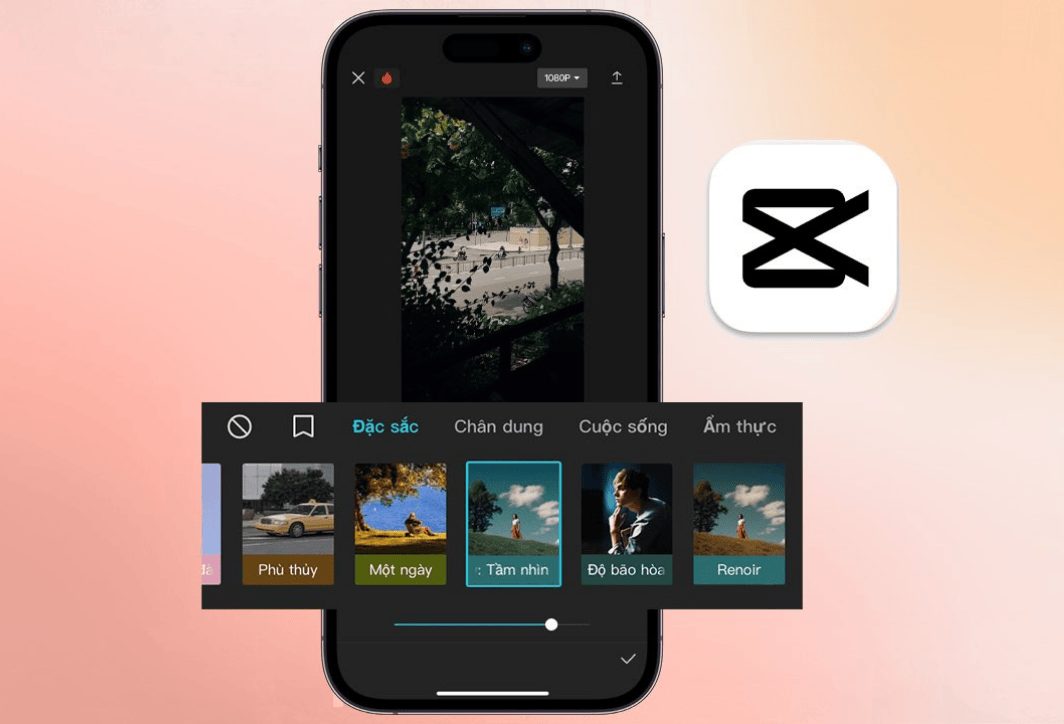
1. CapCut – An extremely easy-to-use editing software for mobile phones.
When talking about video editing apps on mobile phones, CapCut is a name that cannot be overlooked. Developed by TikTok's parent company, ByteDance, CapCut quickly dominated the market thanks to its intuitive interface, vast feature set, and completely free availability. Some of the highlights this software offers users include:
- User-friendly interface: The tools are logically organized, easy to find, and easy to use, even for first-time users.
- A collection of trending effects and music: CapCut constantly updates its effects, color filters, stickers, and especially its library of viral music from TikTok, ensuring your videos are always up-to-date.
- Smart features: Automatic beat detection, automatic subtitle generation, background removal, video stabilization… these are powerful tools that can help elevate your videos.
- Export high-quality video: Supports video export in various resolutions, including Full HD and 2K/4K, and without watermarks (app logos).
CapCut is the perfect choice for those who want to create impressive short videos to post on social media. Currently, to use more features, users may have to pay a fixed fee. However, this is not a problem at all for those who love creativity and use CapCut as a tool to "make money".
2. InShot – Easy video editing on your phone
InShot is a popular mobile video editing app that offers more than just video editing; it also has photo editing and collage creation capabilities. InShot's interface is also very simple, suitable for those who prefer a minimalist design. Some of its highlights include:
- A comprehensive toolkit: It offers a full range of features, from basic (cropping, merging, rotating) to advanced (inserting keyframes, Picture-in-Picture effects).
- Flexible aspect ratio customization: Easily adjust videos to the standard aspect ratios of Instagram, YouTube, TikTok, etc.
- A wide variety of stickers and fonts are available: It helps you unleash your creativity and express your unique personality through each video.
- Detailed speed control: Easily create smooth slow-motion effects or unique timelapses.
InShot will be the ideal companion for vloggers and content creators who want an "all-in-one" tool.
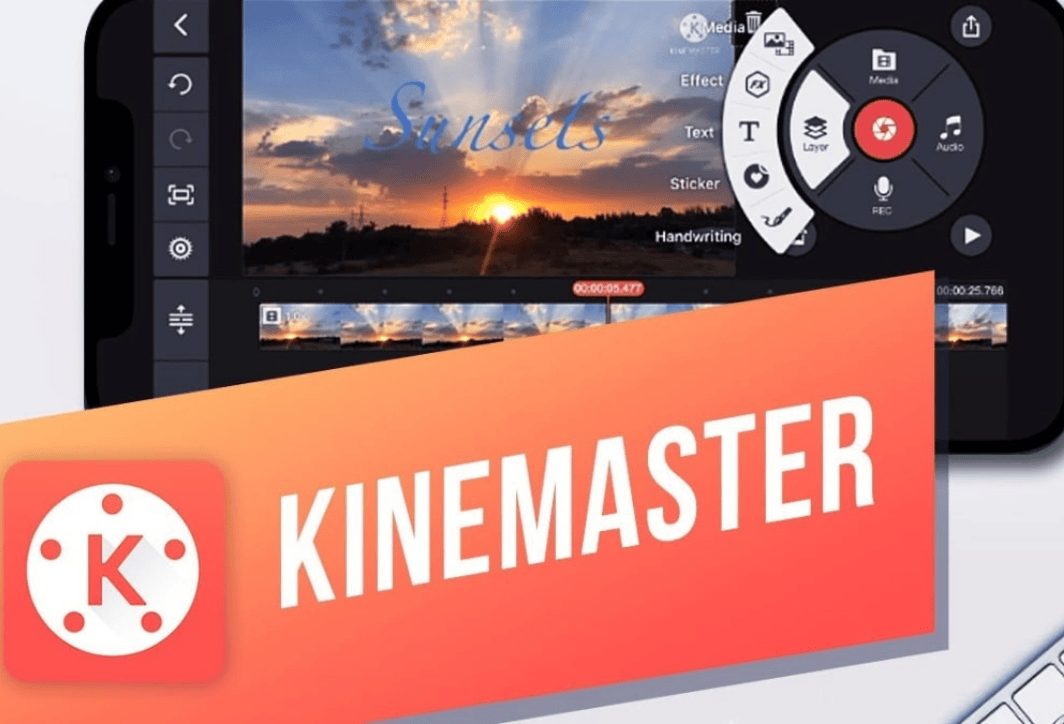
3. KineMaster is a video editing app for mobile phones.
If you're looking for a video editing experience that closely resembles PC software, KineMaster is the answer. This application offers a multi-layer editing system, allowing you to layer multiple videos, images, effects, and text on top of each other. Key features of KineMaster:
- Multilayer editing: Its most powerful feature offers unlimited control and creative possibilities.
- Advanced color tools: Supports detailed color adjustment and the application of color filters (LUTs) to create a professional mood and tone.
- A rich resource base: The KineMaster Asset Store offers thousands of professional effects, transitions, stickers, and fonts (some require payment).
- Supports 4K video output: Ensuring the sharpest video quality.
KineMaster is suitable for users who already have basic video editing knowledge and want to perform more complex special effects directly on their phones.
4. VivaVideo makes creating videos simple on your phone.
As one of the early video editing apps for mobile phones, VivaVideo has maintained its position thanks to its stability and continuous updates of new features. Here are some of VivaVideo's highlights:
- Over 200 video effects: Includes pre-designed filters, themes, and transitions, making it easy for beginners to create visually appealing videos.
- Built-in video recording mode: It allows you to record videos directly from the app with a variety of fun effects and filters.
- Photo slideshow editing tools: It's easy to turn memorable photos into a vibrant video story.
5. FilmoraGo – Mobile video creation software
FilmoraGo (now known as Filmora) is the mobile version of the popular PC video editing software. This application inherits the simplicity of its interface while still ensuring essential features. Its advantages include:
- Intuitive drag-and-drop interface: It makes organizing and editing clips quick and easy.
- A library of royalty-free music: This helps you avoid legal problems when uploading videos to major platforms.
- Available video templates: Simply replace your clips and images to instantly have a complete video.
6. Video editing software on mobile phones – Adobe Premiere Rush
Coming from the giant Adobe, Premiere Rush is a streamlined version of Premiere Pro, designed for quick editing on phones and tablets. Key features of the software include:
- Synchronize across multiple devices: Start editing on your phone and finish on your computer seamlessly with Premiere Pro.
- Simple interface, focused on speed: It helps you publish videos quickly.
- Professional motion graphics templates: Easily add titles and outros designed by experts.
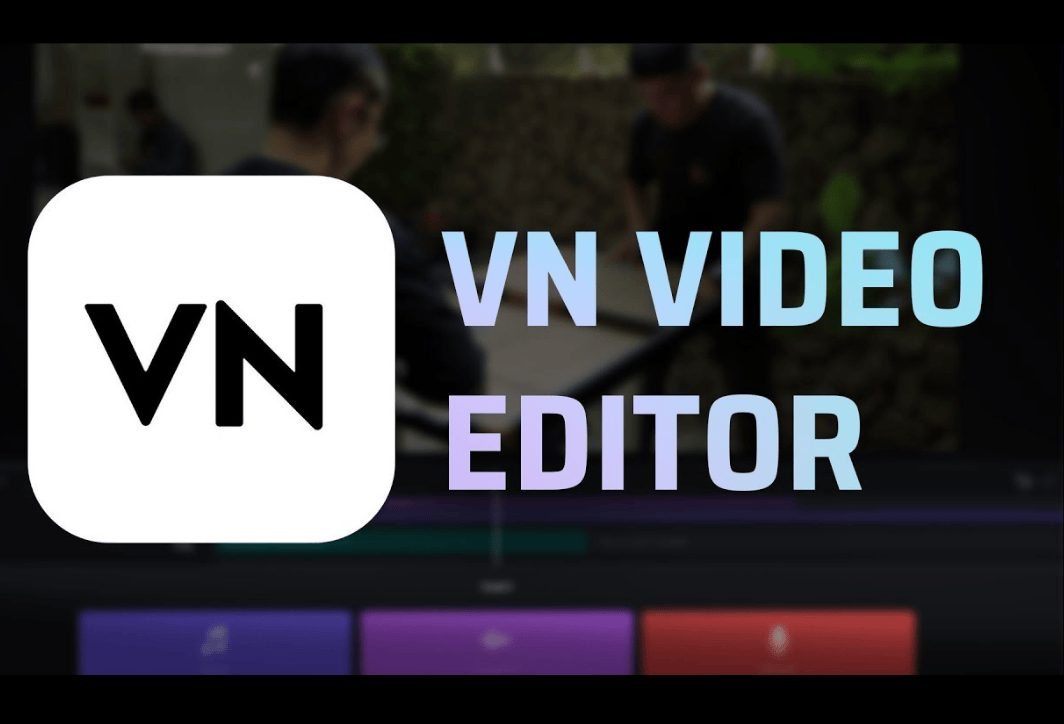
7. VN Video Editor - Free video editing software
VN is another great option, offering many premium features without requiring payment and without adding a watermark. Highlights:
- Multi-track timeline: Easily manage video, audio, and text layers.
- Flexible speed control (Curve): Create smooth and unique speed transition effects.
- Supports a wide variety of LUTs and color filters.
Above are the top video editing apps for mobile phones that are currently popular. Choose the app that best suits your needs. You can also try out each app and find the one that best suits you to create your own masterpieces.
A few things to keep in mind when using video editing software on your phone.
To make your videos not only beautiful but also professional, keep these tips in mind:
- Preparing the script before filming will save you a lot of time in post-production.
- Shoot your video in a well-lit area, keep your phone steady (use a gimbal if possible), and focus on your subject. Software can improve the lighting quality of your video, but it can't turn a blurry, shaky video into a masterpiece.
- A video may have beautiful visuals, but distorted or background noise will detract from the viewer's experience. Use an external microphone if possible and always choose background music that matches the video's mood.
- Transition effects and color filters can make videos more impressive, but using too many can be visually distracting and unprofessional. Let simplicity prevail.
- Editing your video to match the rhythm of the background music will create a captivating and seamless narrative for your story.
- High-quality videos take up a lot of storage space. Make sure your phone has enough free storage before starting a large project.
Right Media – Providing professional video production solutions.
The convenience and power of video editing software on mobile phones are undeniable. They are excellent tools for individuals, vloggers, and small businesses to quickly create engaging videos for social media.
However, for large projects requiring professionalism, consistent brand image, and the integration of complex filming and editing techniques, relying solely on a phone will have certain limitations. This is especially true for corporate projects, large brands, and advertising videos. corporate films Event videos require meticulous investment from the initial idea and script to production and in-depth post-production. That's when you need a professional production team.
Right Media proudly offers a reliable "Outsourced Media Studio" solution for your business.
We understand that not every business has the resources to build an in-house media team. Right Media was created with the mission of helping businesses create engaging, colorful videos that effectively convey their brand message.

Why choose Right Media?
- A professional and experienced team: From directors, screenwriters, cinematographers to post-production specialists, we have a team of highly experienced personnel who have worked on hundreds of projects, both large and small.
- A well-structured workflow: We work according to a clear process, from receiving requests and developing creative ideas to production and final product delivery, ensuring the promised schedule and quality.
- Modern equipment: Right Media invests in the most modern cameras, lighting, sound, and support equipment to create high-quality, cinematic films.
- Creativity knows no bounds: We are not just the implementers, but also your creative partners, providing groundbreaking ideas to make your videos stand out in the market.
- Cost-effective solution: Instead of investing heavily in personnel and equipment, Right Media's "Outsourced Media Studio" service helps you save budget while still owning the most professional video products.
From TV commercials, corporate films, product videos to event videos and viral clips… Right Media is ready to turn all your ideas into reality. Let us elevate your brand through impressive and emotionally resonant footage.
Hopefully, this article has given you more information about video editing software on your phone. Depending on your needs and the purpose of creating videos, choose the corresponding software to meet your creative requirements. Besides choosing an editing app, you should also hone your video editing skills to transform raw footage into unique and engaging works of art for viewers.