When music is playing while you open a video recording app, most phones will automatically mute the sound, hindering the recording of content that needs to match the music, wasting time on editing, or requiring the use of two devices to record simultaneously. In this article, Right Media will provide detailed instructions on how to record video and play music at the same time on iPhone and Android, helping users easily do it without wasting much time.
Ways to record video and play music simultaneously on iPhone and Android.
Currently, iPhone and Android phones are constantly being improved with many modern features to better meet users' photography and videography needs, especially in the Camera app. For content creators who frequently shoot videos to upload to TikTok and YouTube, using a phone that can both record video and play music is always a top priority.
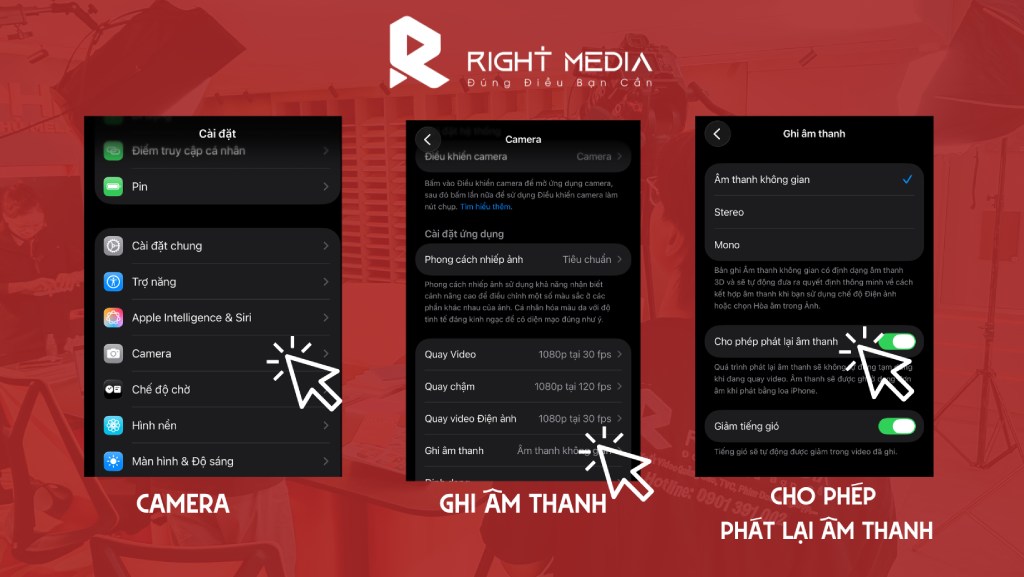
On iPhones, users need to go to the Camera app to reset the feature.
In fact, both iOS and Android operating systems allow you to set up music playback during video recording. However, due to not paying attention to the settings, many people accidentally turn off the music when they open the camera.
- For iPhones, users simply need to go to Settings → Camera → Audio Recording → Allow Audio Playback to unlock this feature.
- For Android users, go to Settings → Sound and Vibration → Separate App Sounds to use this feature.
Use third-party apps to record video and play music simultaneously on your phone.
In reality, the ability to simultaneously record video and play music on a phone depends heavily on the application used. Therefore, to meet the need for stable and effective video recording with music, users often need third-party video recording applications. Some ways to record video and play music simultaneously on iPhone and Android using third-party applications that users should consider include:
Method 1: Use YouTube Premium
If you use YouTube Premium, you can still listen to music and audio from the app even when your phone screen is off. If you access the YouTube app first and then switch to the Camera app to record a video, the audio will not be muted. The duration and number of audio tracks on YouTube are incredibly diverse, meeting many of the content creation needs of users. However, this method will not be effective if the user does not subscribe to YouTube Premium.
Method 2: Record directly on TikTok or Instagram Reel
One of the simplest ways to record video and play music simultaneously on iPhones and Android devices, and a popular choice among many users today, is to use apps like TikTok or Instagram. The process is incredibly simple: just access the app, select the post section, choose your music, and start recording your video.
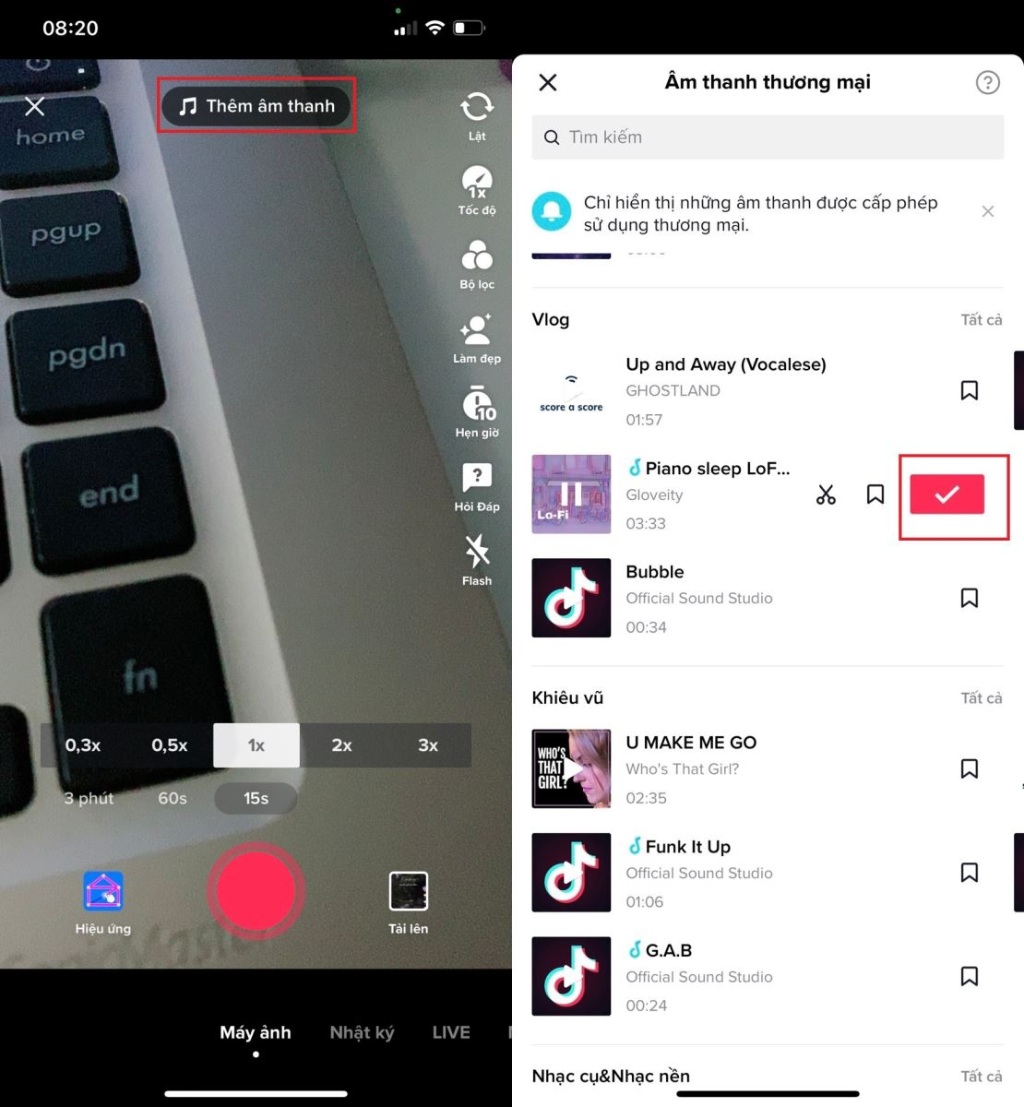
Users often record live videos using TikTok for the ease and convenience of integrating audio.
The biggest advantage of this method is that you can both play music and record videos, and you can choose filters to make the video colors more beautiful and cute. In addition, the audio is directly synchronized with the recorded video without needing post-production time. The volume of audio on these platforms is also incredibly diverse and interesting, making it easy for you to create various content. viral video In just a few minutes, many videos can be uploaded directly after shooting without any post-production.
However, a limitation of this application is that it can only record short videos, usually under 10 minutes. Additionally, downloaded videos may display the application's logo and may not be of very good quality.
Method 3: Using other applications
Besides the two methods of recording video and playing music simultaneously on iPhone and Android mentioned above, users can also use several supporting applications such as FiLMiC Pro, ProCamera, Mideo, and Open Camera. These are all professional video editing applications that can combine music and video at the same time. The recorded video will be completely synchronized with the audio playing, saving time on post-production editing. However, some applications and services require a subscription fee, so users should consider this carefully.
For iPhone models
In fact, most iPhones with the latest iOS updates now allow simultaneous video recording and music playback, offering users many conveniences when they need to record or take photos. However, with older models, these features are still limited, and users can only use one app at a time for either music playback or video recording.
Apple Music and Spotify are two music apps pre-installed on Apple products, allowing you to play music even when the screen is off or while recording video. However, there are limitations: they are only suitable for short videos, and some songs are not available on the platform. Additionally, the music only plays simultaneously with the video, not synchronized with the audio, so you will need to make further edits in post-production.
Recording video and playing music simultaneously on an iPhone is very simple with this platform. You just need to open music from Apple Music/Spotify first, then open the Camera app and select to record video. This is the most basic method and doesn't require installing any additional apps.
For Android
Play Music While Record Video is an application that helps users record video while playing music on their Android phones simply and effectively. This application allows background music to play from the device while the camera continues to operate normally, ensuring uninterrupted video recording. Users of this operating system may need to download this application separately for support, especially on older Android models.
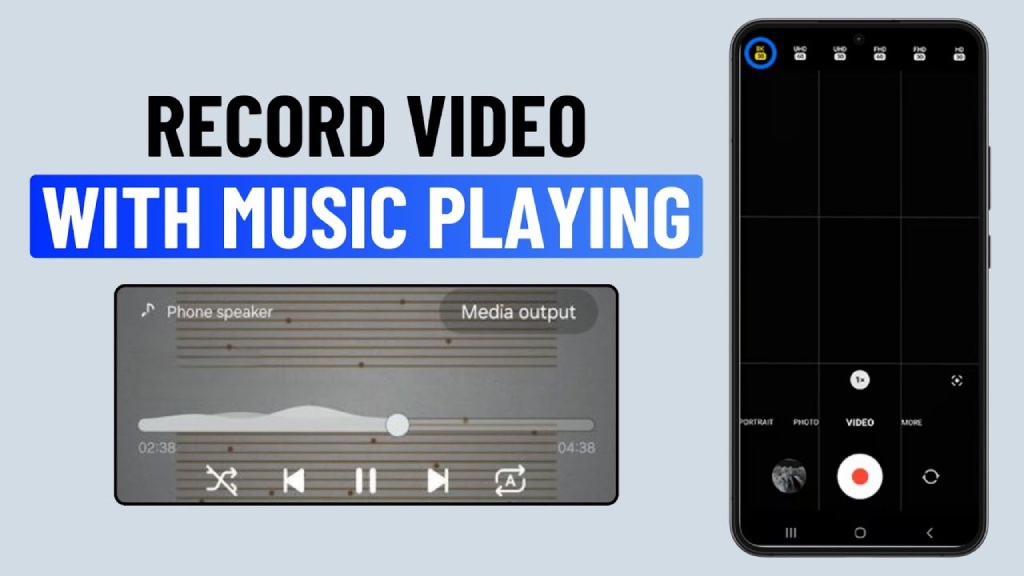
Android users can use the Play Music While Record Video app to record video while playing music.
With this application, the audio is also directly synchronized with the video, so users can use it immediately without any further editing. It's also quite simple to use, allowing you to download audio for use and supporting many music formats already available on your device.
Simultaneously recording video and playing music on iPhones and Android devices is no longer complicated if users know how to install and choose the right app. Depending on your needs, you can apply simple tips or use supporting apps to ensure a smooth and efficient video recording process. Right Media hopes that the above information will be useful, making content creation faster and more convenient.





 English
  Vietnamese