Are you looking for free 2D animation software to start your creative journey? Whether you're a beginner or an experienced animator, choosing the right tool is crucial. This article will detail 10 top-rated, free, and powerful software programs that will help you transform your unique ideas into professional and captivating 2D animations.
10 Free 2D Animation Software Programs
Many animation software programs have emerged in today's technological age. Among them, free 2D animation software is attracting a lot of attention. Below are some of the most trusted and widely used programs:
Blender software – Free 2D animation software
Despite being renowned as a leading 3D software, Blender boasts an incredibly powerful 2D animation tool called "Grease Pencil." This makes Blender a versatile and comprehensive choice for any animator.
Key features:
- 2D workspace in a 3D environment: Users can create 2D characters within a 3D environment.
- Grease Pencil: This is not just a simple drawing tool; it allows users to create vector strokes, sculpt, and color directly, then "rigging" and animate it as a 3D object.
- A comprehensive toolkit: Blender provides users with everything from drawing, coloring, bone fixation, animation, and adding visual effects (VFX) to video editing.
Advantage: This free, open-source software is powerful, offers flexible use in a combination of 3D and 2D modeling, boasts a rich database, and has a huge user base.
Disadvantages: New users may encounter some minor issues with the complex interface and numerous features. However, after some time, using Blender will become more proficient, helping users create unique products.
2D animation software – Krita
Krita was originally developed as professional digital drawing software, but over the years, it has been supplemented with animation tools, especially for frame-by-frame hand-drawn animation.
Key features:
- The ultimate drawing pen system: Krita is renowned for its diverse range of brushes and powerful customization options, allowing for the creation of all kinds of artistic styles.
- Timeline and Onion Skinning: The intuitive timeline interface, along with the "onion skinning" feature (which blurs the previous and subsequent frames), makes animating each frame easy and precise.
- Supports vector and text: In addition to its powerful bitmap drawing tools, Krita also supports vector layers and text tools.
Advantage: Free, open source, user-friendly interface, and focus on drawing quality.
Disadvantages: Mostly suitable for traditional hand-drawn animation.
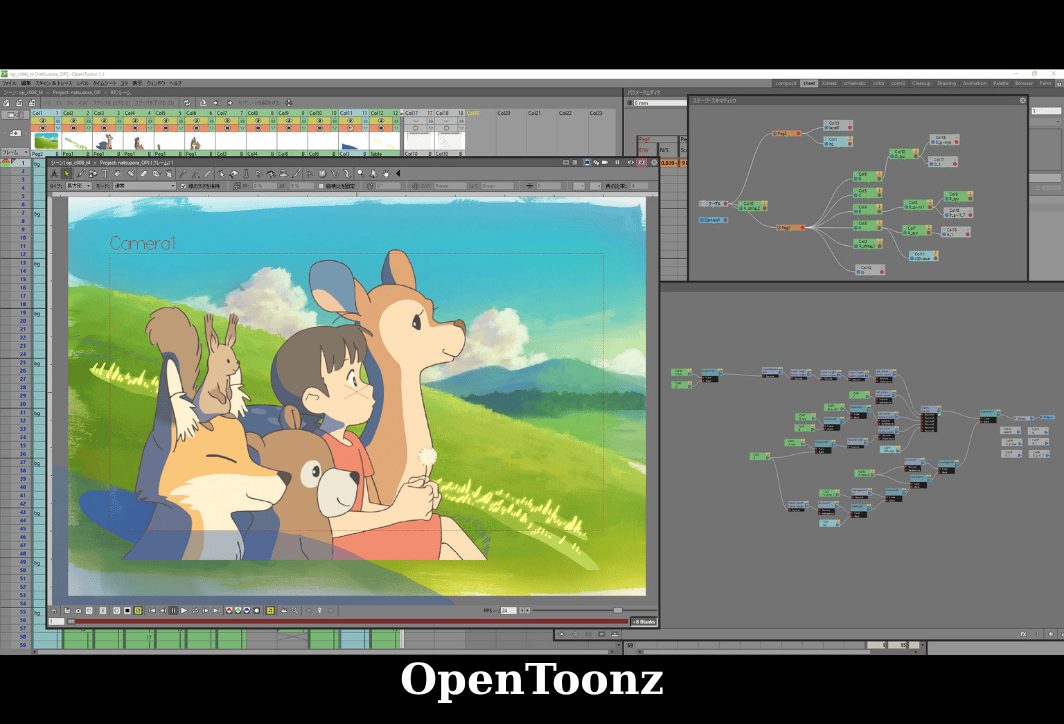
OpenToonz software is used to produce 2D animations.
OpenToonz is a professional 2D animation software used by major studios, including the legendary Studio Ghibli (in works such as "Mononoke"). After being open-sourced, it became a free tool for everyone.
Key features:
- GTS (Ghibli Scanning Tool): A powerful scanning tool developed by Studio Ghibli to efficiently digitize hand-drawn sketches.
- Diverse effects system: It integrates over 100 visual effects such as lighting, distortion, graining, etc.
- Rigging and skeletal animation: It provides tools to create "cut-out" characters (individual body parts) and animate them using an exoskeleton system.
- Supports both raster and vector: Flexibility in choosing work styles and processes.
Advantage: Free to use with full features, powerful configuration with high scalability, used by leading industry professionals.
Disadvantages: The complex interface can be challenging for new users, and the instruction manual is also somewhat difficult for many to understand.
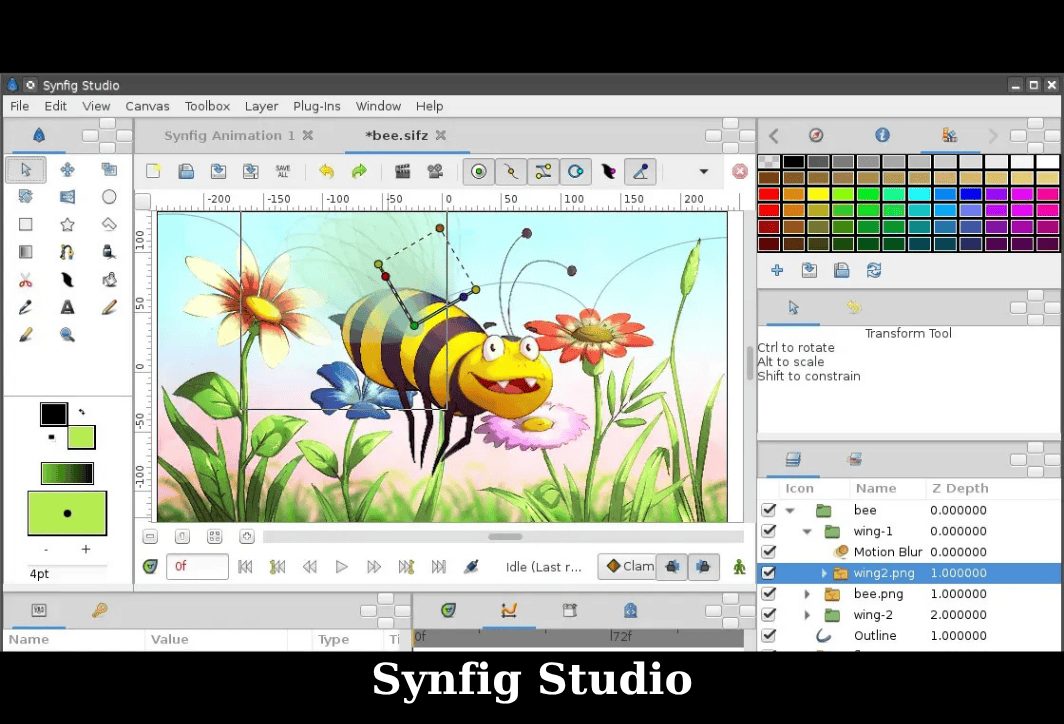
Synfig Studio – Free 2D animation software
Synfig Studio is another powerful free 2D animation software that focuses on eliminating the need to draw each frame individually. Instead, it uses vector-based "tweening" (automatically creating transition frames).
Key features:
- Vector animation eliminates the need to draw each frame by hand: Simply create keyframes, and Synfig will automatically calculate and generate smooth transitions in between.
- Bones: It allows you to create complex characters from bitmap or vector images and animate them naturally.
- Over 50 layers and filters: It provides the ability to create complex visual effects and structures.
Advantage: Saves time, creates smooth animations, open source, and works across multiple platforms.
Disadvantages: New users may find the software's interface complex and the drawing tools less powerful than some other animation software, such as Krita.
2D animation software: Animation Paper
Animation Paper is a modern version of Plastic Animation Paper (PAP), a legendary software in the world of hand-drawn animation. It's designed to provide a fast, intuitive drawing and paper-flipping experience on a computer.
Key features:
- High speed and responsiveness: Optimized for quick drawing and flipping, giving the feeling of working on real paper.
- High-quality artwork: The drawing tool is designed to create sharp and smooth strokes.
- Simple yet powerful interface: It provides essential tools such as layers, light tables (onion skinning), and x-sheets (time sheets) in an intuitive way.
Advantage: The interface is intelligently designed, focusing on speed. Users feel like they are drawing by hand in a traditional way, and new versions are constantly being updated.
Disadvantages: Currently, some features like coloring are still under development, there are no rigging tools, and it's mostly hand-drawn.
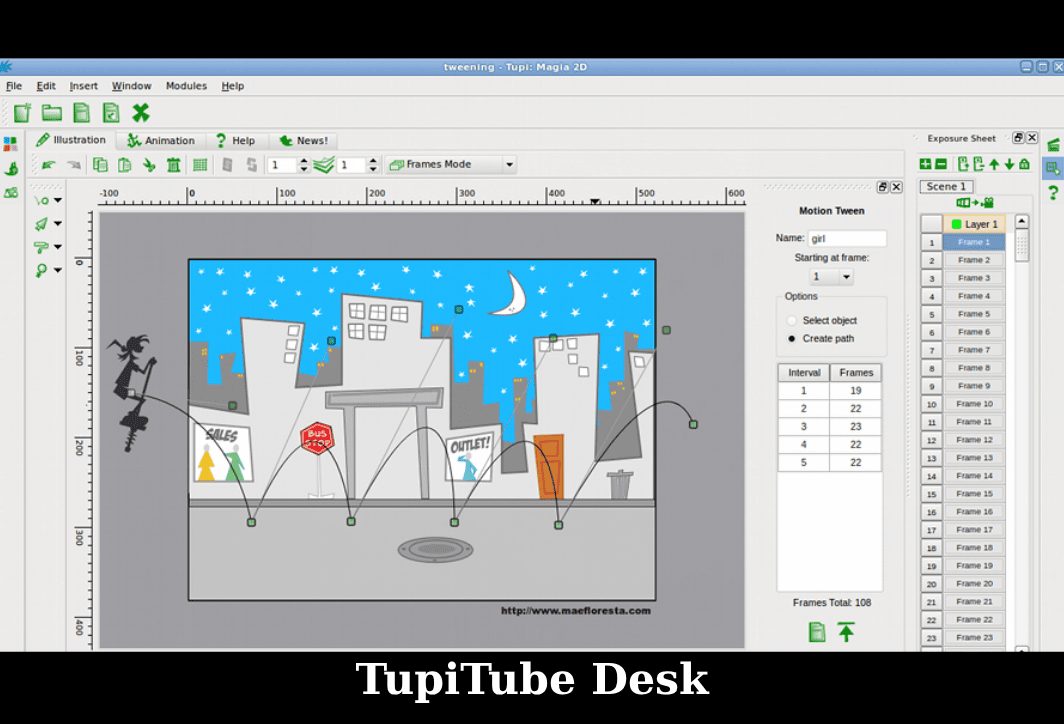
TupiTube Desk – A free tool for creating 2D animations.
TupiTube Desk is an open-source project created with the goal of making the world of 2D animation accessible and fun for children and teenagers.
Key features:
- Simple and user-friendly interface: Designed for younger users, with large icons and an easy-to-understand workflow.
- Basic vector drawing tools: Provides the necessary tools for drawing and coloring simple characters.
- Property library: Users can share and utilize assets (characters, settings) from the community.
Advantage: Ideal for educational purposes and introducing animation to children. The software is completely free.
Disadvantages: Compared to other specialized software, TupiTube Desk still has many limitations in terms of features, and its interface is somewhat "childish".
Wick Editor is a free 2D animation design software.
Wick Editor is a free animation and interactive game creation tool that runs entirely in a web browser. It's inspired by Adobe Flash and is a great choice for creating multimedia projects.
Key features:
- Run in a browser: No installation required; you can access and work from anywhere with an internet connection.
- Integrate a code editor (JavaScript): It allows for the creation of complex games and interactive products.
- User-friendly interface: Easily create animated tweens, draw shapes, and manage objects on the timeline.
Advantage: Easy to use, convenient, and suitable for animation and game programming.
Disadvantages: Not suitable for long and complex animation projects due to browser limitations. For large projects, some stuttering and lag may occur.
Free 2D animation software – Pencil2D
As its name suggests, Pencil2D is a simple, lightweight, and easy-to-use tool focused on creating traditional 2D hand-drawn animations. It's the perfect choice for beginners.
Key features:
- Minimalist interface: Everything you need is clearly displayed, with no complicated menus or unnecessary features.
- Supports both bitmap and vector formats: You can freely switch between pixel art and vector art on different layers.
- Lightweight and multi-platform: The software is very lightweight and can run smoothly even on computers with low specifications.
Advantage: Easy to learn and use for beginners, free and open-source, it focuses on the fundamental elements of animation.
Disadvantages: Some advanced features are still lacking compared to other software, and it is not suitable for complex, large-scale projects.
Scratch – Free 2D animation software
Scratch is a visual programming platform developed by MIT, primarily designed for children aged 8 to 16. However, it's also a great tool for creating simple stories and cartoons.
Key features:
- Drag-and-drop programming: Users create scripts by assembling colorful blocks of code, helping to understand programming concepts visually.
- Large library of characters and sounds: We provide a wealth of resources to help you get started immediately.
- Global sharing community: You can view, learn from, and remix millions of projects from other users.
Advantage: This animation and programming approach is extremely fun and creative, helps develop logical thinking, and is free and safe for children to use.
Disadvantages: With limited graphics and animation customization options, this software is not suitable for professional animation production.
Stykz – Making simple 2D animation
If you're a fan of stick figure animation, Stykz is the software for you. It focuses entirely on creating this type of animation quickly and easily.
Key features:
- Frame-based interface: Very intuitive, you just adjust the position of the "sticks" in each frame and Stykz will create the movement.
- Onion Skinning: It's easy to see the previous and subsequent frames to create smooth motion.
- Simple operation: No drawing skills are required, just creativity in movement.
Advantage: Easy to use, quickly create stick figures. Free software, usable on various platforms.
Disadvantages: It only allows creating stick figure animations; there are no sophisticated drawing or coloring tools.
Things to keep in mind when using free 2D animation software.
Using free 2D animation software is a great option, but for the best experience, keep these key points in mind:
- Some powerful tools like Blender or OpenToonz have complex interfaces and require time to learn. Therefore, users need to be persistent in learning.
- Users can learn animation using free software through forums. This is because most free software does not have a dedicated customer support team.
- Some software, even free ones, still require a powerful computer to run smoothly, especially for complex projects. Check your system requirements before installing to avoid stuttering and lag.
- Open-source software can sometimes encounter unexpected errors. Make it a habit to save frequently to avoid losing data while working on your computer.
- Master the fundamental principles of animation such as timing, space, and movement, instead of just focusing on using the software's features.
Hopefully, this article has provided you with some free 2D animation software options. You can refer to them and choose the software that best suits your needs. Ideally, you should try them out yourself and see which software inspires you the most. Wishing you enjoyable animation sessions and the creation of your own unique works!



 English
  Vietnamese