Transforming seemingly lifeless drawings into vibrant animated characters is a long process of creativity, technique, and emotion. Every movement, expression, and frame needs to be meticulously crafted using the right tools to bring ideas from the paper to the screen. If you're also interested in this field, check out the 10 most popular animation software programs compiled by Right Media below.
Top 10 most popular animation software programs today.
To create a complete animated film, creators need not only ideas and artistic ability, but also proficiency in using design software. These tools allow characters to move, express emotions, and convey feelings, rather than remaining static like in comic books.
Each animation software program has its own strengths, ranging from traditional 2D animation and modern 3D to complex motion effects and rendering techniques. Understanding the characteristics of each software will help make the creative process more efficient, save time, and improve the quality of the final product.
1. Adobe Animate
Adobe Animate is 2D animation software, particularly suitable for creating character animations, banners, illustrative videos, and interactive content. Its advantages include an intuitive interface that's easy to learn, especially for those already familiar with image and video design tools within the Adobe ecosystem. The software also offers numerous filters, allowing for flexible vector work, ensuring images remain sharp when zoomed in or out.
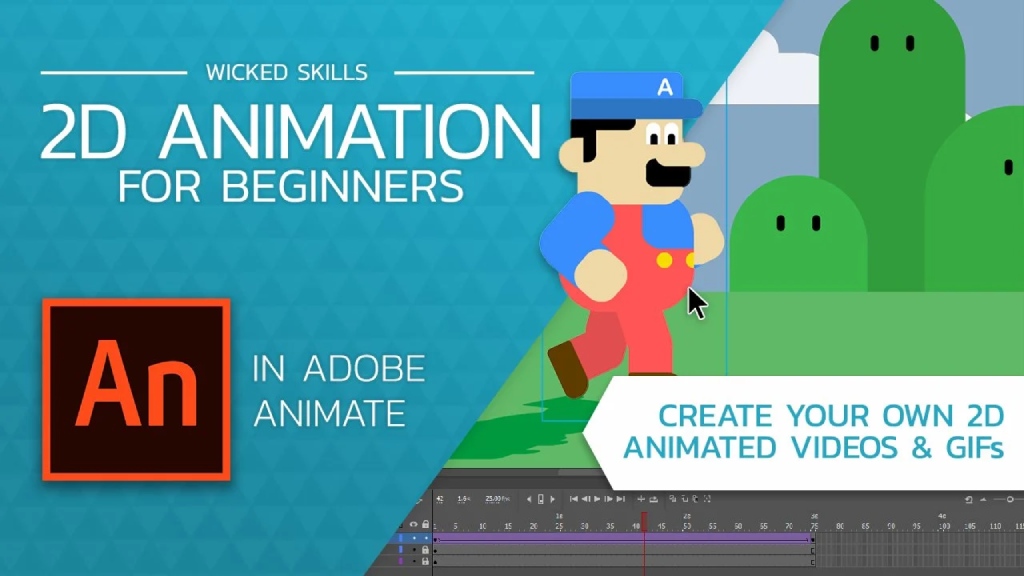
Adobe Animate is a popular and easy-to-use animation software.
However, to use many features in Adobe Animate, users are required to pay. Furthermore, the software's 3D design capabilities are limited, lacking depth and mainly focusing on simulating 2.5D spaces. Complex effects and animations often require integration with After Effects for higher quality. Therefore, if you want to try designing simple, basic cartoon characters, you can still consider this software.
2. Scratch
One of the simplest, easiest to use, and most enjoyable animation software programs, perfectly suited for beginners, is Scratch. It's an intuitive 2D animation programming and creation platform that operates using a drag-and-drop mechanism for command blocks, allowing users to quickly create moving characters, interactive stories, and simple games without needing complex coding knowledge.
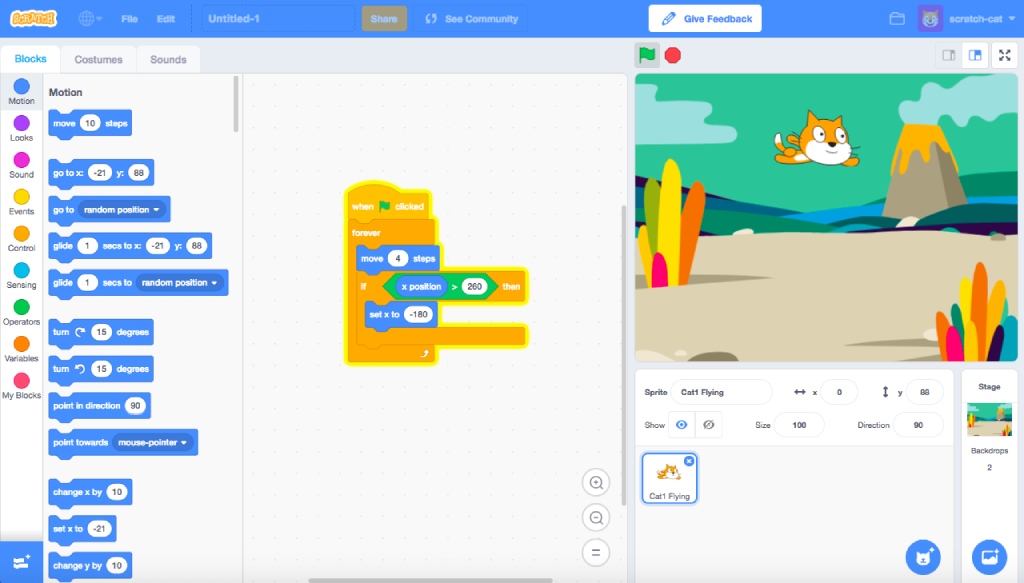
Scratch has an intuitive interface for beginners learning about animation.
Interestingly, Scratch is designed for children aged 8-16 to develop their creativity in interactive storytelling, games, and animation. Therefore, the software is only suitable for basic animation and interactive products; it cannot be used for advanced enhancements, 3D modeling, detailed motion control, or high-quality visual effects.
3. Toon Boom Harmony
If you already have a basic understanding of animation techniques and want to try your hand at more professional animation software, you might want to explore Toon Boom Harmony. This software is widely used in large studios and the animation industry. Its advantages include support for many styles, from traditional hand-drawn animation and cut-out animation to advanced rigging (creating frames to allow for fluid character movement), with highly detailed control over movement and expression.
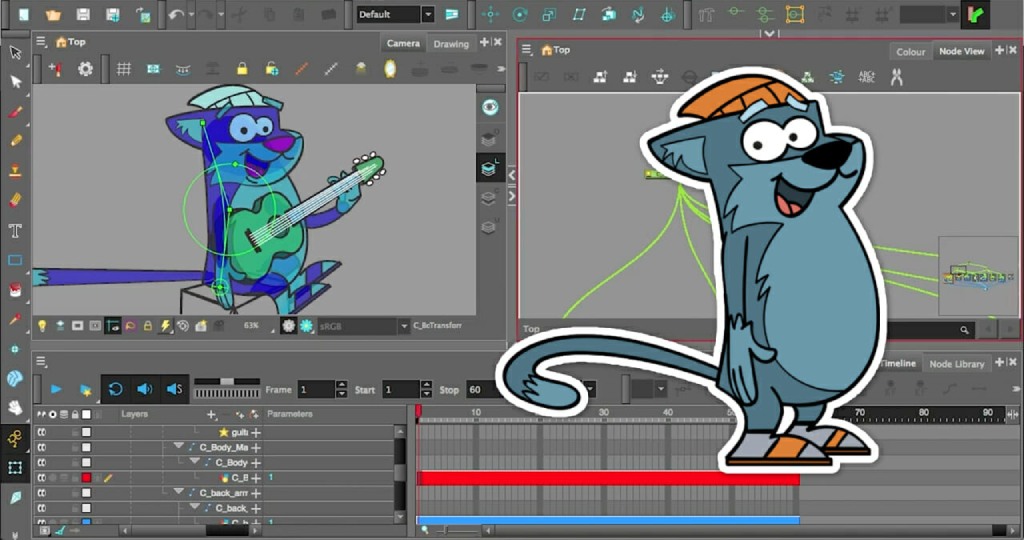
Toon Boom Harmony is used in both large, professional animation studios.
Toon Boom Harmony boasts a powerful timeline system, flexible direct drawing tools, and efficient layer management capabilities, making it suitable for short films, series, and large-scale projects. However, the software does not support 3D animation design and requires the use of other tools in combination. Furthermore, users need to pay a relatively high license fee to unlock many design features and filters.
4. Cinema 4D
Cinema 4D is a prominent 3D animation and design software with an intuitive interface and minimal complex operations, making it particularly suitable for designers and animators transitioning from 2D to 3D. Cinema 4D boasts a powerful MoGraph system, allowing for flexible creation of looping motion effects, cloning, dynamic effects, and procedural animation. This software also integrates well with After Effects within the Adobe ecosystem for seamless and complete video editing.
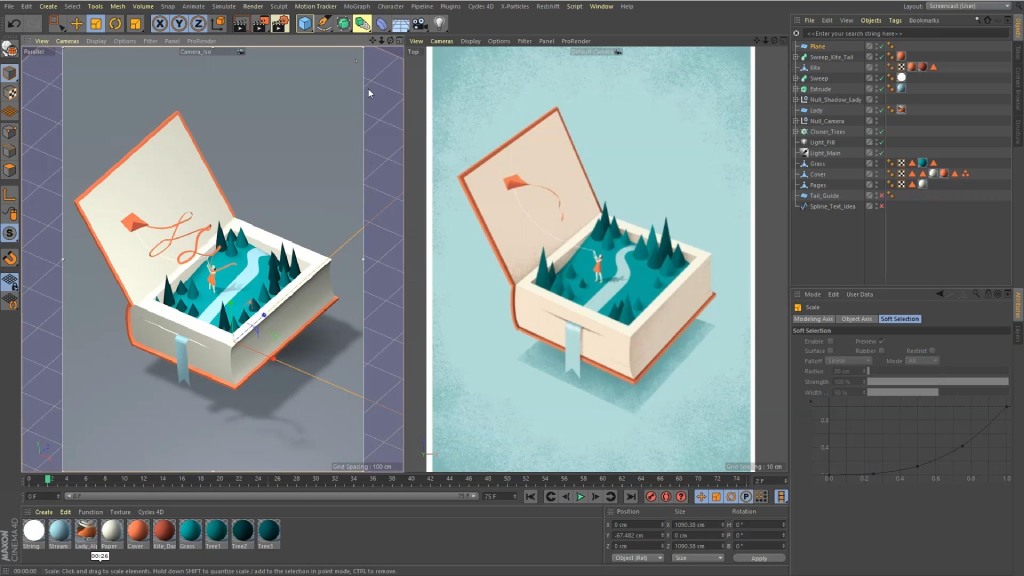
Cinema 4D is 3D animation software with many outstanding features.
Despite its many strengths, Cinema 4D still has some limitations. The software requires a paid subscription and a fairly solid technical foundation, which can be challenging for beginners in the field of 3D. Furthermore, Cinema 4D is less commonly used for long, storytelling videos that require emotional depth and character development, as its motion graphics style can sometimes feel dry and more focused on presentation.
5. Synfig Studio
Synfig Studio is open-source 2D animation software that works well on multiple operating systems such as Windows, macOS, and Linux. The software operates using a vector-based mechanism, allowing for flexible image editing without worrying about pixelation when zooming in or out. Synfig Studio supports automatic tweening over time, allowing the software to automatically calculate the intermediate movements between two keyframes, resulting in smoother animation and significantly reducing the amount of hand-drawn animation.
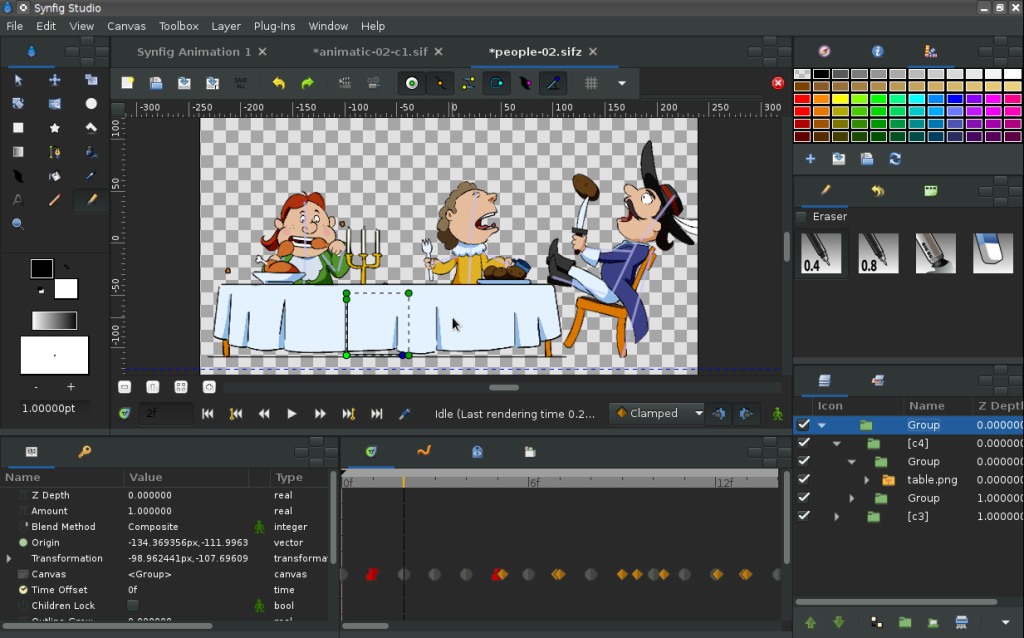
Synfig Studio works well on many operating systems and is completely free.
Another advantage is that the software is completely free, supports bone systems, automatic tweening, and multiple layers, saving production time. However, the interface isn't very user-friendly for beginners, processing speed is sometimes slow, and the resource library isn't very extensive. Synfig remains a worthwhile option for traditional 2D projects, simple motion animation, or for those wanting to produce animation on a low budget.
6. Pencil2D
One simple, free animation software option suitable for beginners learning 2D animation is Pencil2D. The software allows users to sketch, draw lines, color, and create animation directly on each frame in a traditional hand-drawn style (frame-by-frame). Pencil2D supports both bitmap and vector graphics and integrates an onion skin feature for smoother motion control between frames.
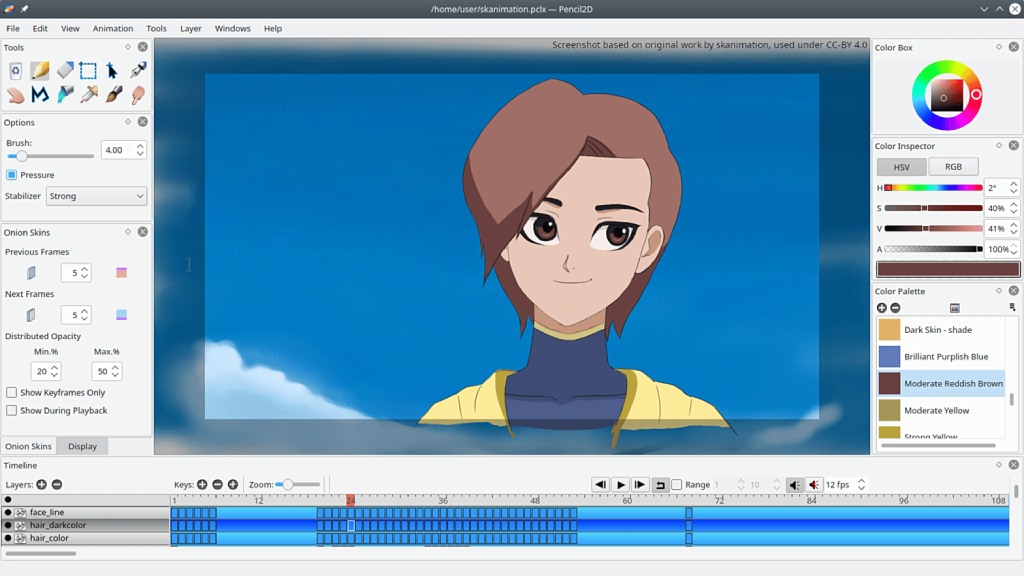
Pencil2D is suitable for beginners who are just starting to learn about graphics and basic animation.
In addition, Pencil2D has a basic, lightweight, and easy-to-use interface, with simple operations suitable even for some older computers. However, Pencil2D is limited in advanced effects and has few automation tools, so it is hardly used for large, professional animation projects requiring a high level of detail. Even so, it remains an ideal choice for learning basic animation drawing and developing movement skills before moving on to more advanced techniques.
7. Blender
Blender is a completely free 3D animation software with a powerful toolset suitable for animation, games, and VFX. The software provides a full range of tools from modeling, rigging, animation, physics simulation, to scene creation, allowing you to create complete 3D animation products on a single platform. Blender supports rigging and animation of complex characters, and has high-quality rendering engines like Cycles and Eevee, resulting in realistic images and extremely vivid motion.
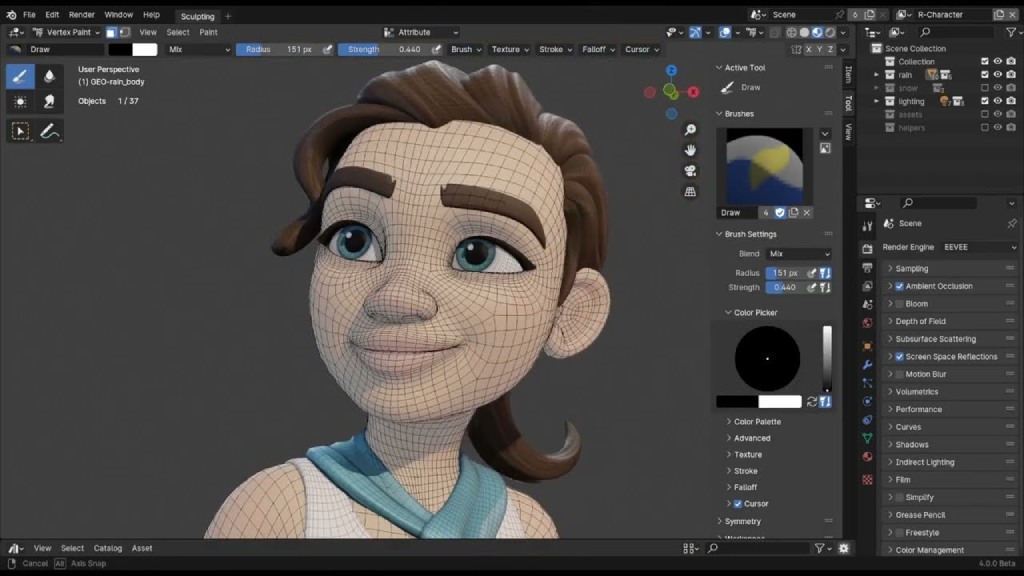
Despite being free software, Blender boasts many outstanding features.
However, Blender is considered quite difficult to use, requiring a relatively powerful computer for complex 3D projects. Its interface and keyboard shortcuts are quite unique, making it easy for beginners to get confused and requiring a long time to become familiar with. Nevertheless, with its rich documentation and constant community updates, Blender remains a top choice for those who want to pursue in-depth 3D animation.
8. DigiCel FlipBook
DigiCel FlipBook is 2D animation software that uses a traditional hand-drawn style, simulating the familiar flipbook drawing process. It allows users to draw each frame directly, enhancing their sense of movement and understanding of classic animation principles. The software is also praised for its simple, user-friendly interface, making it suitable for beginners and students learning 2D animation.
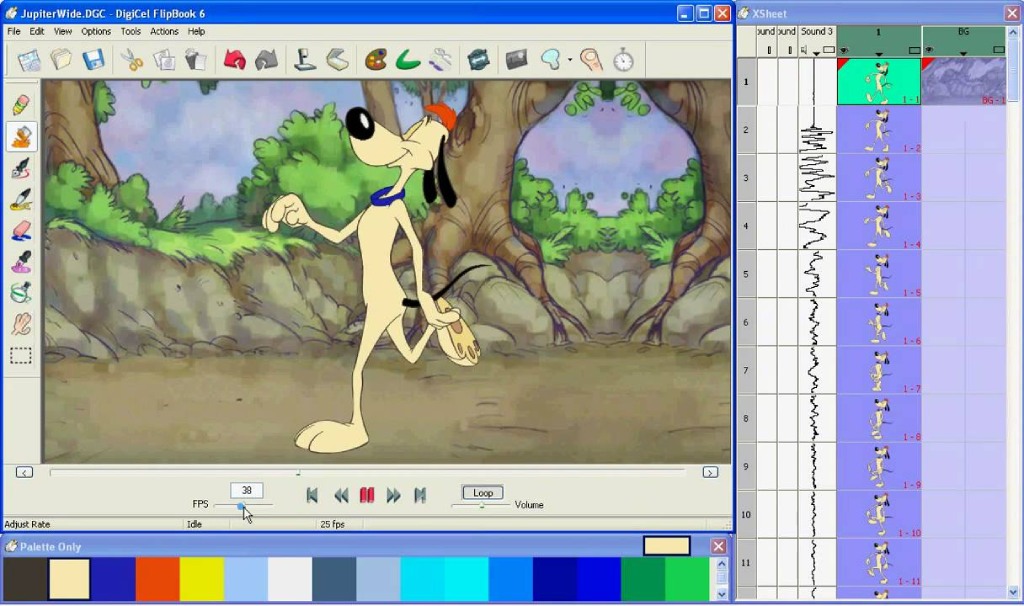
DigiCel FlipBook mimics traditional hand-drawn illustrations.
Another advantage of this software is its support for onion skins (blurring the foreground and background while drawing), intuitive frame management, and video export in many popular formats. However, like some other 2D animation software, DigiCel FlipBook is limited in visual effects and color processing capabilities, and lacks automation tools like tweening and rigging, making it generally unsuitable for complex animation projects or large-scale professional productions.
9. OpenToonz
OpenToonz is 2D animation software developed using technology previously employed at Studio Ghibli – the renowned Japanese animation studio. The software supports both traditional hand-drawn and digital animation, allowing users to manage frames, layers, and motion in detail. Thanks to its professional pipeline processing capabilities, OpenToonz is suitable for both individual projects and team productions.
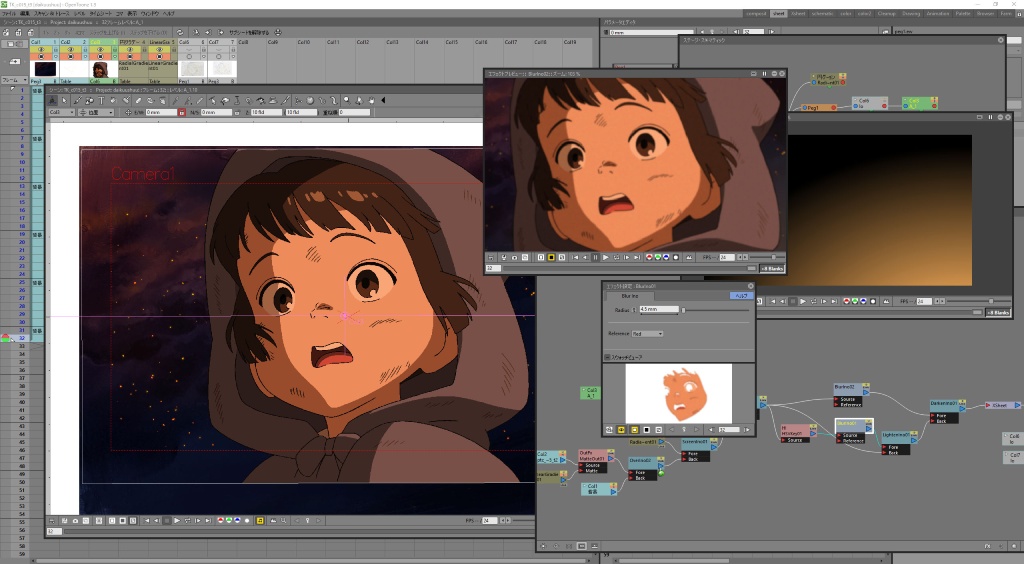
OpenToonz is suitable for many individual and group animation projects.
OpenToonz is particularly noteworthy because it's completely free to use but boasts many advanced tools such as scanning and cleaning up hand-drawn sketches, tweening, effects, and basic compositing, making it suitable for even long-term projects. However, this also means the software has a rather complex and technical interface, which can be overwhelming for beginners and often takes a long time to fully master.
10. Dragonframe
Dragonframe is a professional animation software widely used in large studios, especially for stop-motion animation. The software boasts powerful tools such as onion skins, a visual timeline, and camera and lighting control, making it ideal for stop-motion projects requiring high precision. Additionally, Dragonframe supports audio and lip-sync synchronization, enhancing the accuracy of stop-motion storytelling.
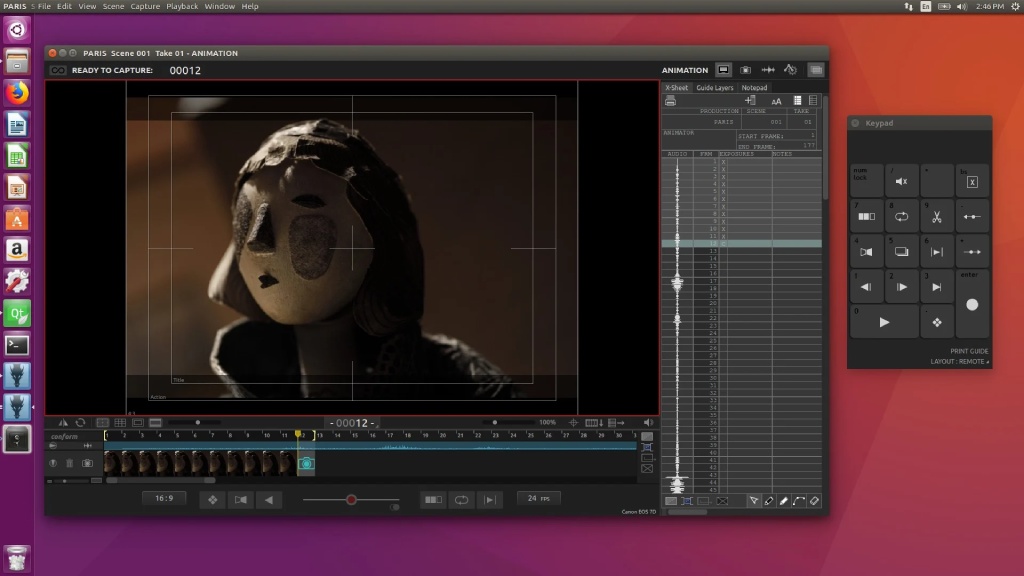
Dragonframe is used in large animation studios but is quite complex for beginners.
However, Dragonframe is quite expensive, requiring additional hardware such as cameras, tripods, and lighting equipment. It's only suitable for stop-motion animation and doesn't support regular 2D or 3D animation. Therefore, Dragonframe is only suitable for users with knowledge of photography and studio setup, and isn't really suitable for beginners or those looking to create low-cost animated films.
Some things to keep in mind when using animation software.
When learning about animation software, users need to understand important considerations during use to maximize the tool's potential and minimize unwanted errors. Proper understanding and use of the software not only saves time and effort but also improves the quality of the final product.
Here are some things to keep in mind when using animation software:
- Define the intended use: Whether you're creating 2D, 3D, motion graphics, or stop motion animation, choosing the right software from the start is crucial.
- Suitable for this skill level: Beginners should start with the simplest, most basic software, prioritizing free tools to experiment with. Avoid using overly complex or expensive software, as this can lead to difficulties from the start and discouragement.
- Check your computer's configuration: Some 3D and rendering software requires a powerful computer to run smoothly.
- Check resource copyright: For example, music, images, presets, and plugins should be checked before being used for commercial purposes.
- Participate in intensive courses: If you intend to seriously pursue this field, you should take intensive courses to improve your academic skills and gain a systematic understanding of the subject matter.
To transform ideas into vibrant animated films, choosing the right software is an essential first step. By understanding the characteristics of each tool and continuously honing your skills, you will gradually find the right path and create products with your own unique creative touch. Hopefully, the information shared above by Right Media has provided you with useful insights, making your journey to conquer the field of animation filmmaking smoother.




 English
  Vietnamese